
Build Better Lessons in Less Time
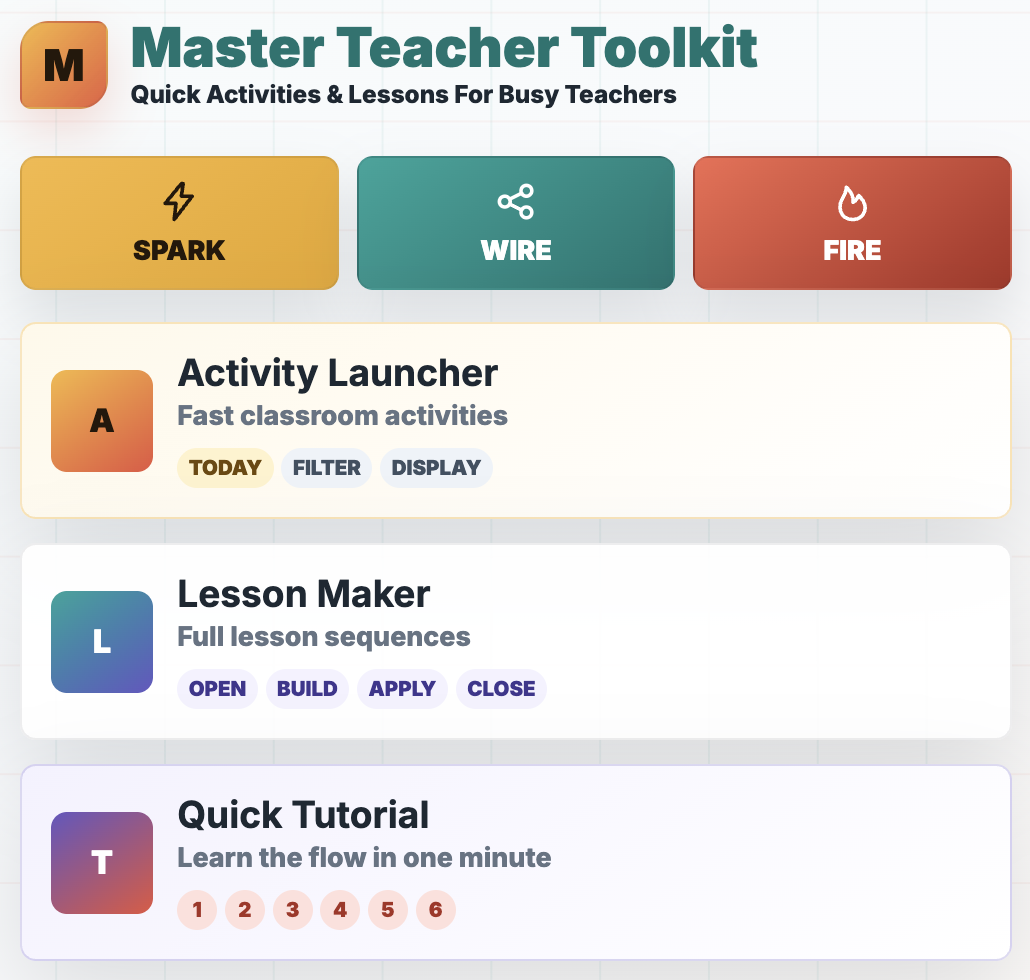
The Master Teacher Toolkit gives busy teachers two simple tools for planning engaging classroom activities and complete lessons—without starting from a blank page.
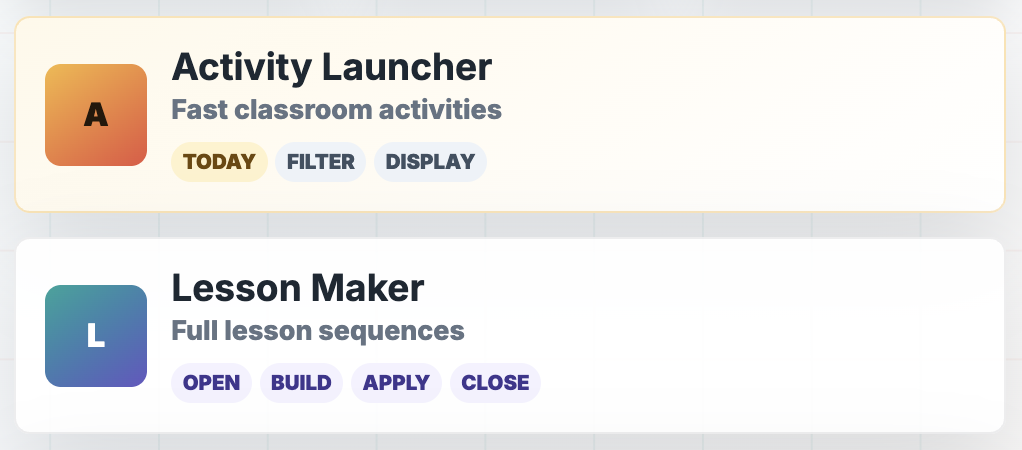
Use the Activity Launcher when you need a quick classroom activity.
Use the Lesson Maker when you need a complete 45-, 60-, or 90-minute lesson.
Bell Ringers • Exit Tickets • Brain Breaks • Class Activities • Complete Lessons
One Subscription. Two Powerful Teaching Tools.
Activity Launcher
Need something your students can do right now?
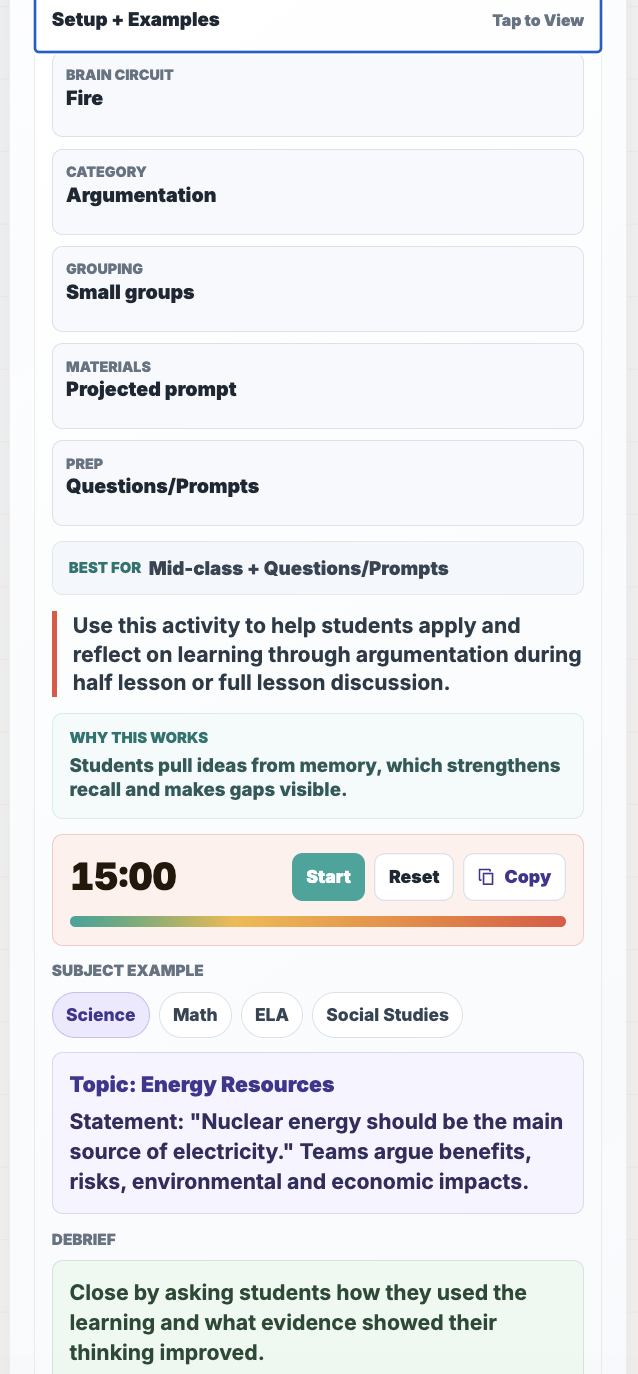
Activity Launcher helps you quickly find classroom activities for different moments in your lesson.
Choose from:
Bell Ringers
Exit Tickets
Brain Breaks
Class Activities (10 minutes or longer)
Select what you need, filter the options, and launch an activity that fits your classroom.
Best for: lesson hooks, prior knowledge activation, transitions, attention resets, review, retrieval practice, discussion, collaboration, reflection, and formative assessment.
Lesson Maker
Need more than one activity?
Lesson Maker combines activities into complete lesson sequences for:
45-minute lessons
60-minute lessons
90-minute lessons
Choose the length and purpose of your lesson, and Lesson Maker helps you create a structured sequence from beginning to end.
You can also save favorite activities and use them to build your own customized lessons.
From “What Am I Doing Today?” to Ready to Teach
The Master Teacher Toolkit helps you:
Save Planning Time
Search more than 100 classroom activities and build complete lesson sequences without digging through websites, folders, books, and old documents.
Keep Students Engaged
Break up long stretches of teacher talk with purposeful activities, movement, discussion, retrieval, and application.
Find the Right Activity Faster
Choose the lesson moment, available time, and instructional purpose instead of scrolling through a giant list of disconnected ideas.
Build More Active Lessons
Create lessons in which students do more than sit, listen, and complete another worksheet.
Powered by 100+ Ready-to-Use Activities
The Master Teacher Toolkit is powered by the classroom activity collection from Spark. Wire. Fire.: 100 Ready-to-Use Classroom Activities That Inspire Curiosity, Strengthen Memory, and Apply Learning.
The app makes those strategies easier to search, filter, save, and combine into complete lessons—so you can quickly find the right activity for the right moment.
Any Activity. Any Subject.
The Master Teacher Toolkit provides flexible activity structures that you can adapt to the content you are already teaching and includes subject specific examples to give you ideas.
Made for Real Classrooms
The Master Teacher Toolkit is for teachers who:
Need a strong bell ringer to start class
Want better exit tickets than “What did you learn?”
Need an activity that engages students in thinking and application of content
Look for innovative ways to introduce new content
Need a purposeful brain break
Want students to do more during class
Are planning at the last minute
Need a fresh approach to familiar content
Want to turn several activities into a complete lesson
Are tired of rebuilding every lesson from scratch
Whether you need five minutes or an entire class period, the toolkit helps you find a practical place to begin.
How It Works
1. Choose Your Tool
Open Activity Launcher for a quick classroom activity or Lesson Maker for a complete lesson sequence.
2. Select What You Need
Choose your lesson moment, available time, instructional purpose, goals, or lesson length.
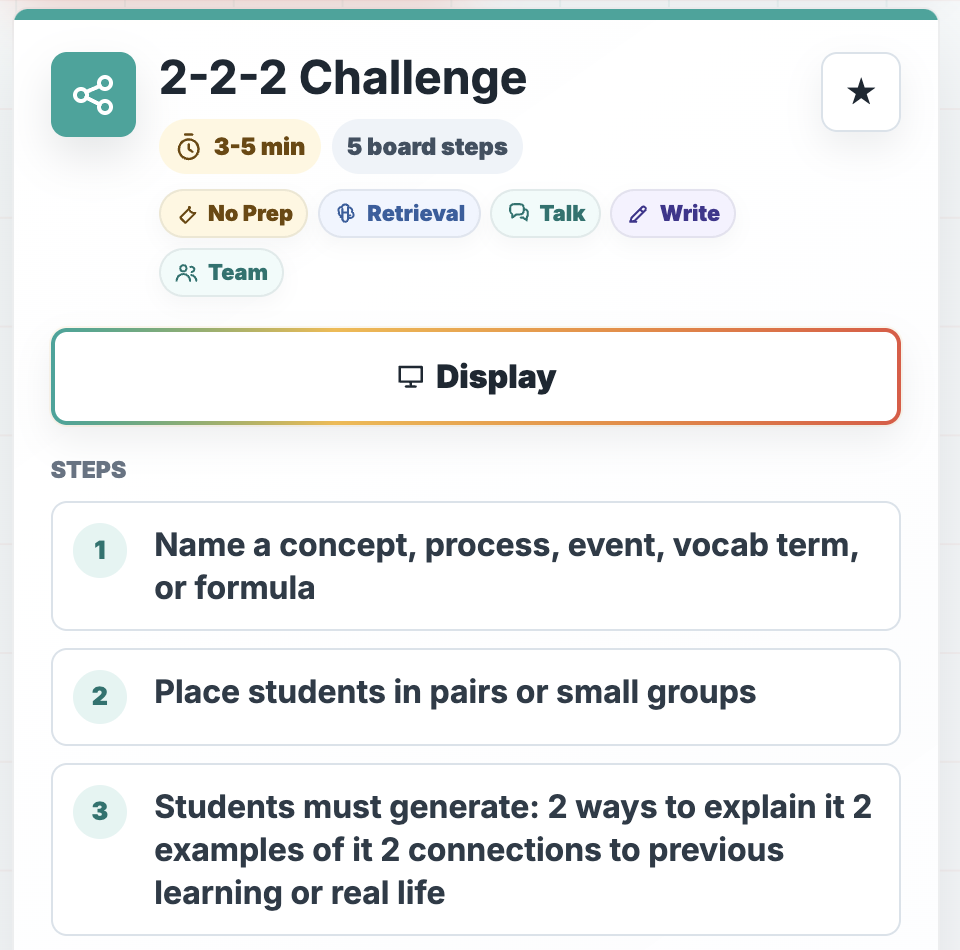
3. Launch and Teach
Review the activity or lesson, adapt it to your content, and use it with your students.
No complicated setup. No giant planning system to learn.
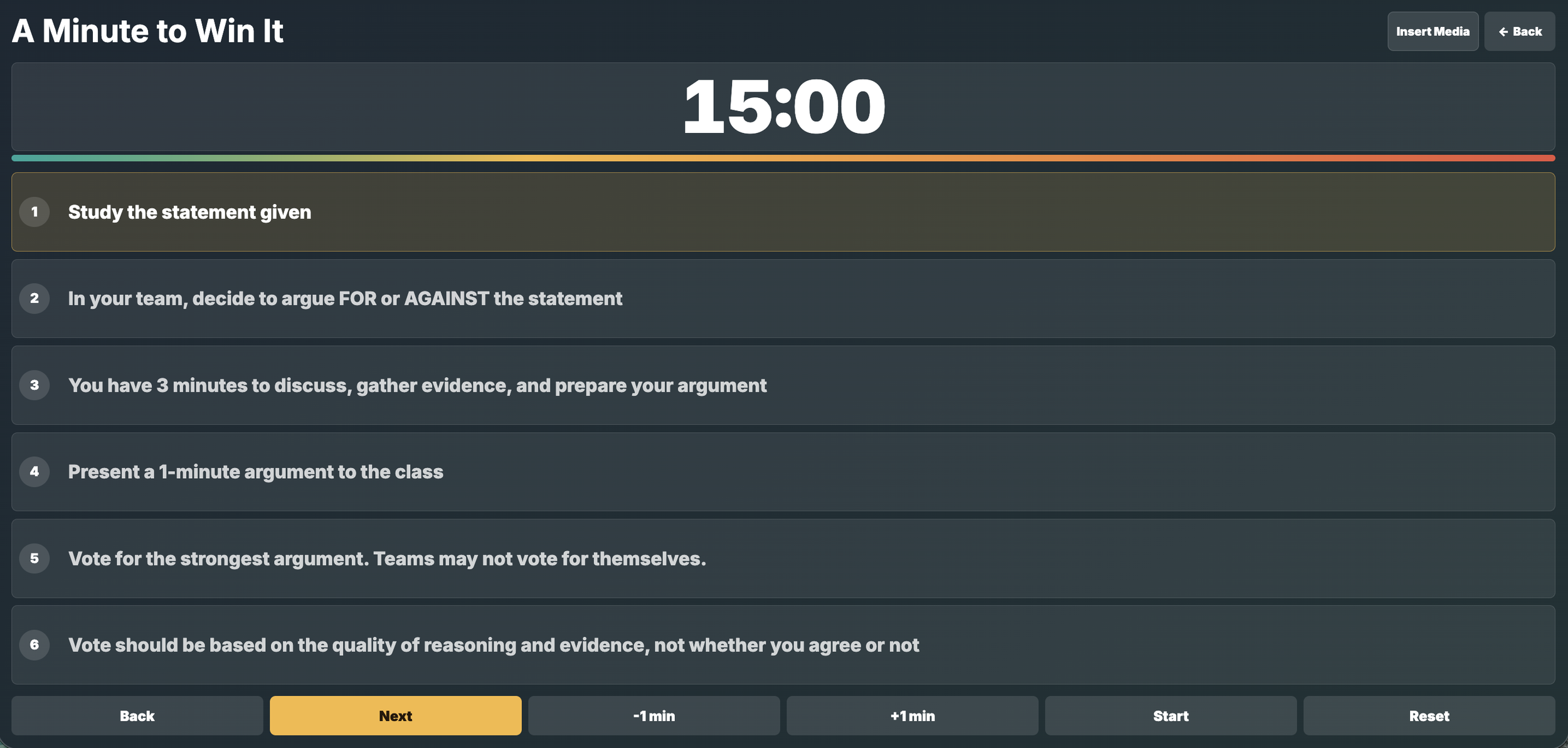
4. Display Directions
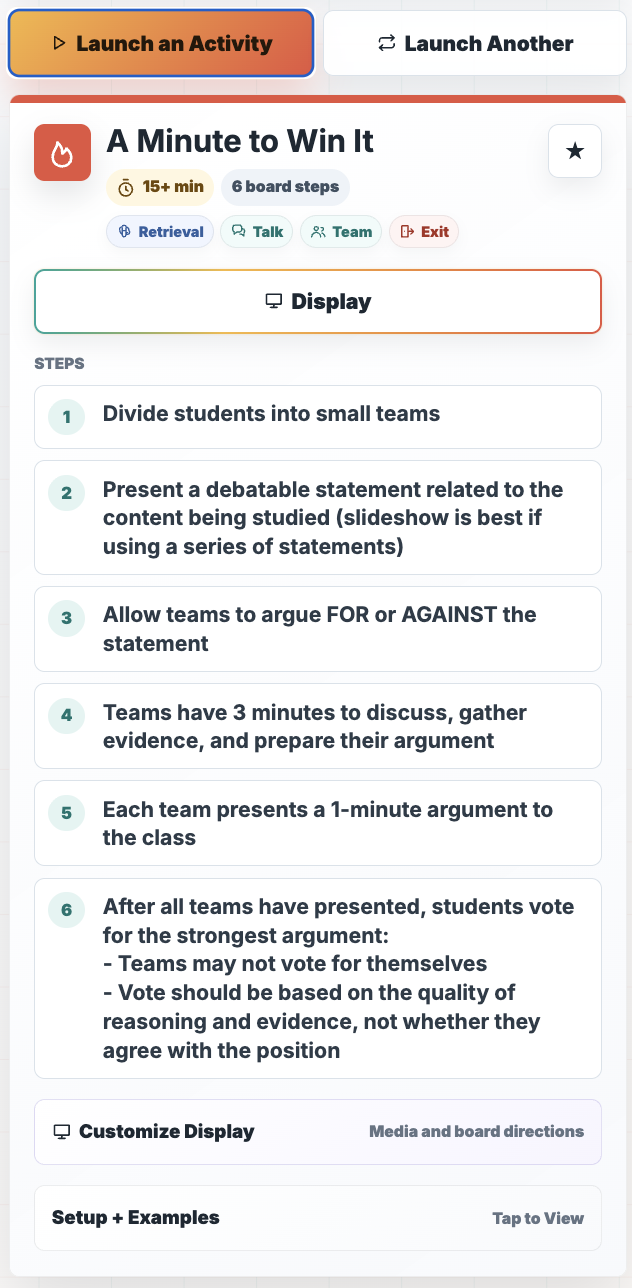
Hit the Display button for student step-by-step directions, customizable activity timer to create urgency and keep students on task, and to upload an image or a PDF document to use with students.
See the Toolkit in Action
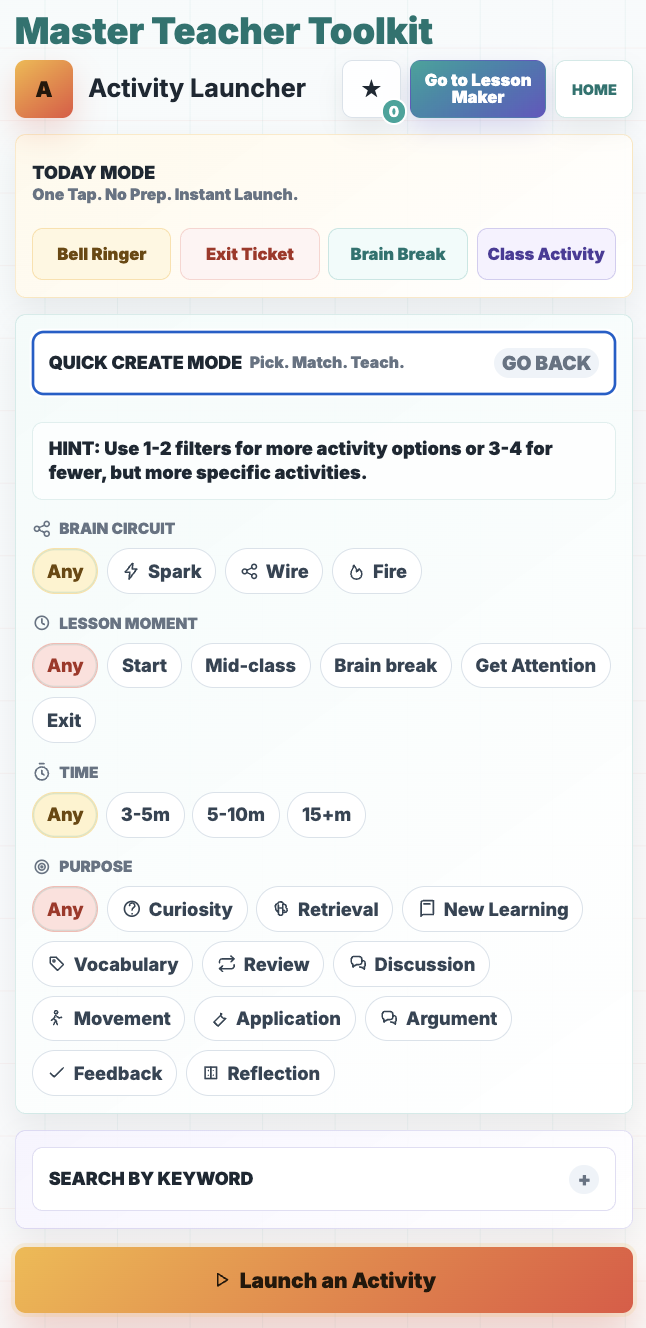
Activity Launcher Home
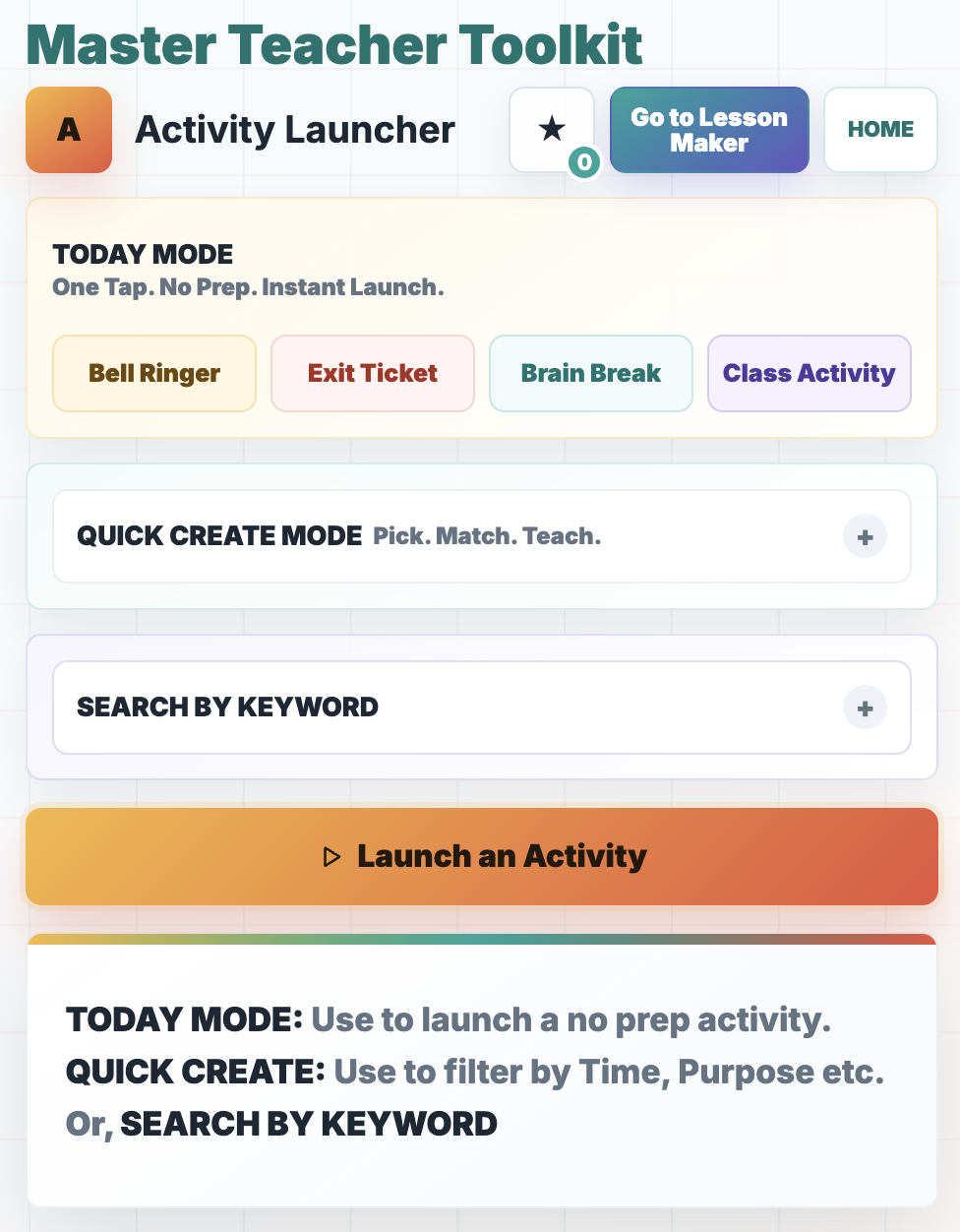
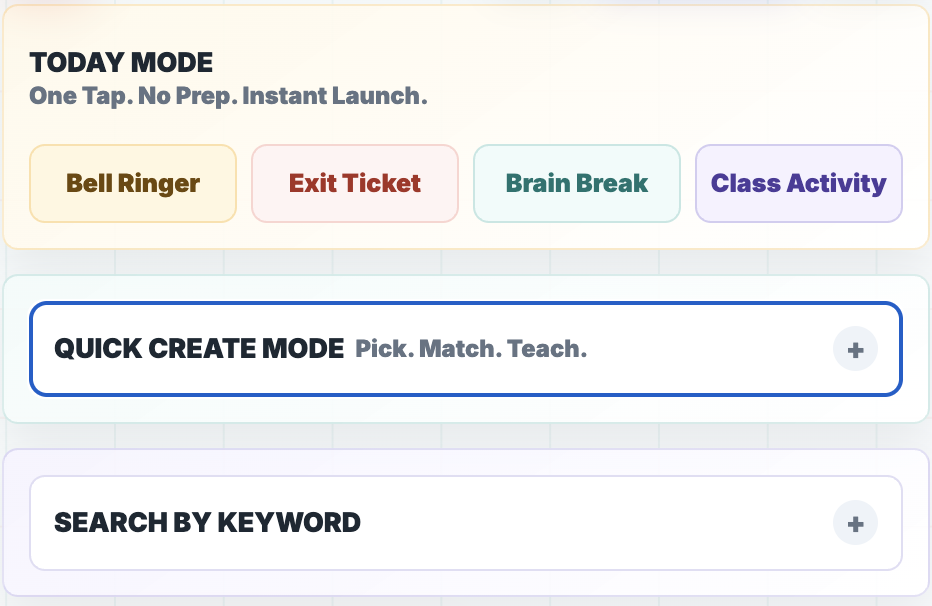
Use TODAY MODE to launch an activity instantly.
Tap Bell Ringer, Exit Ticket, Brain Break, or Class Activity.
Tap Launch an Activity and voila!
Find the Right Activity
Use the QUICK CREATE MODE to filter by lesson moment, time needed, and purpose of the lesson.
Use SEARCH BY KEYWORD to look for a strategy your lesson needs such as “metacognition” or “test prep.”
Launch It, Then Show It
Tap the Display button after launching your classroom-ready activity to show the directions your students can follow.
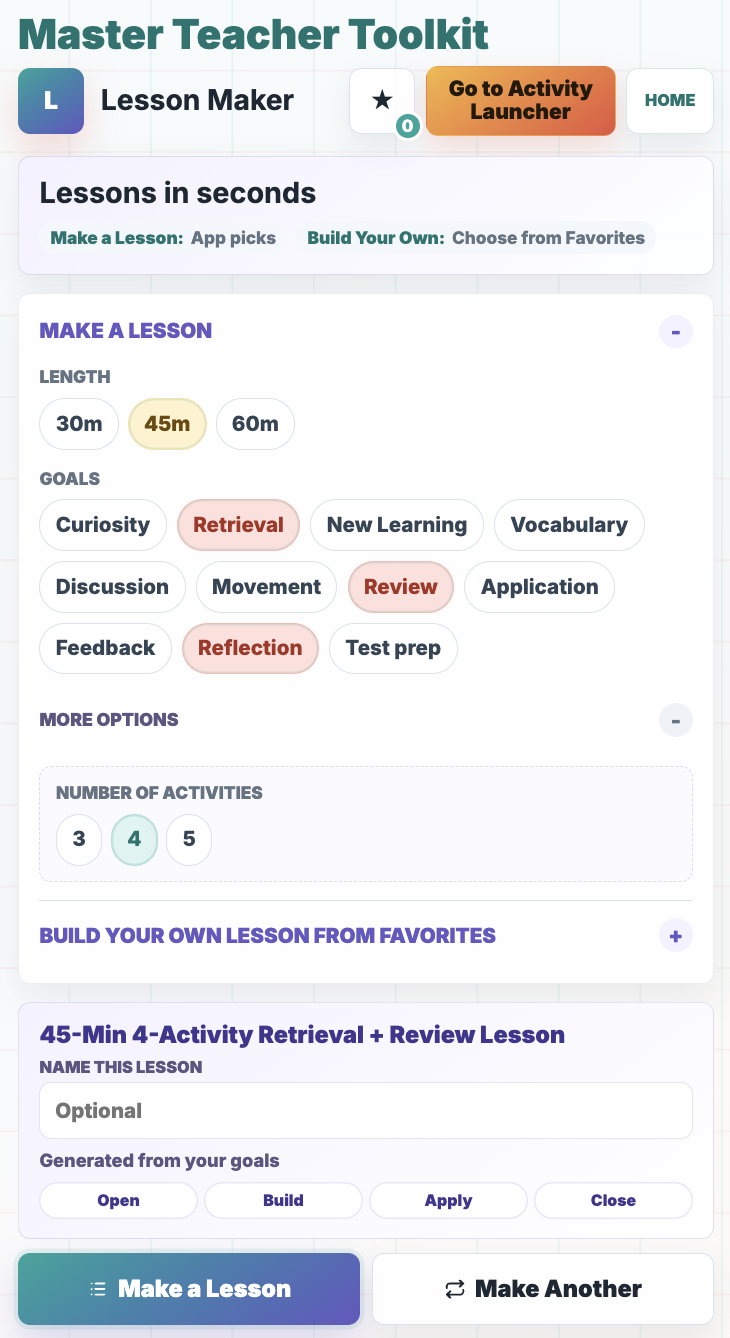
Lesson Maker Home
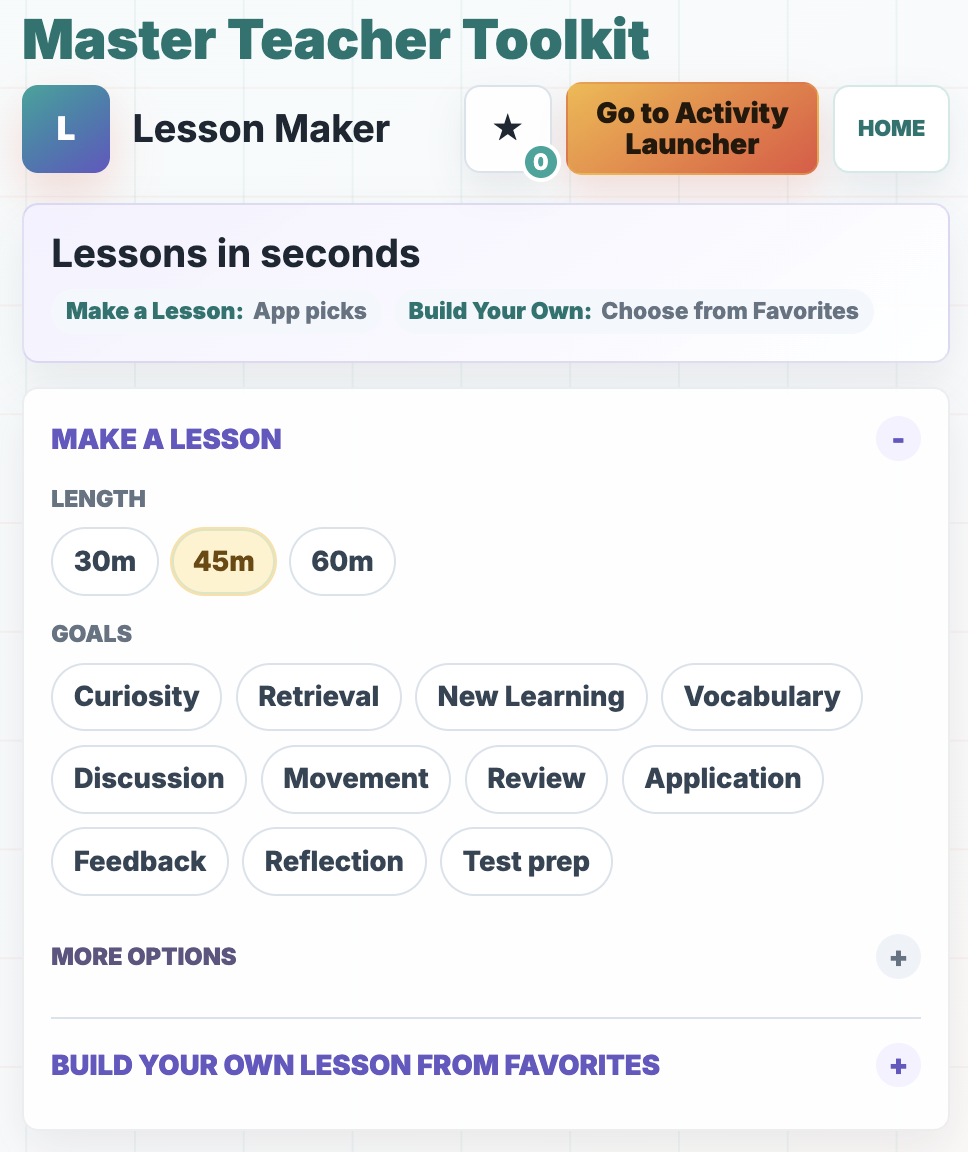
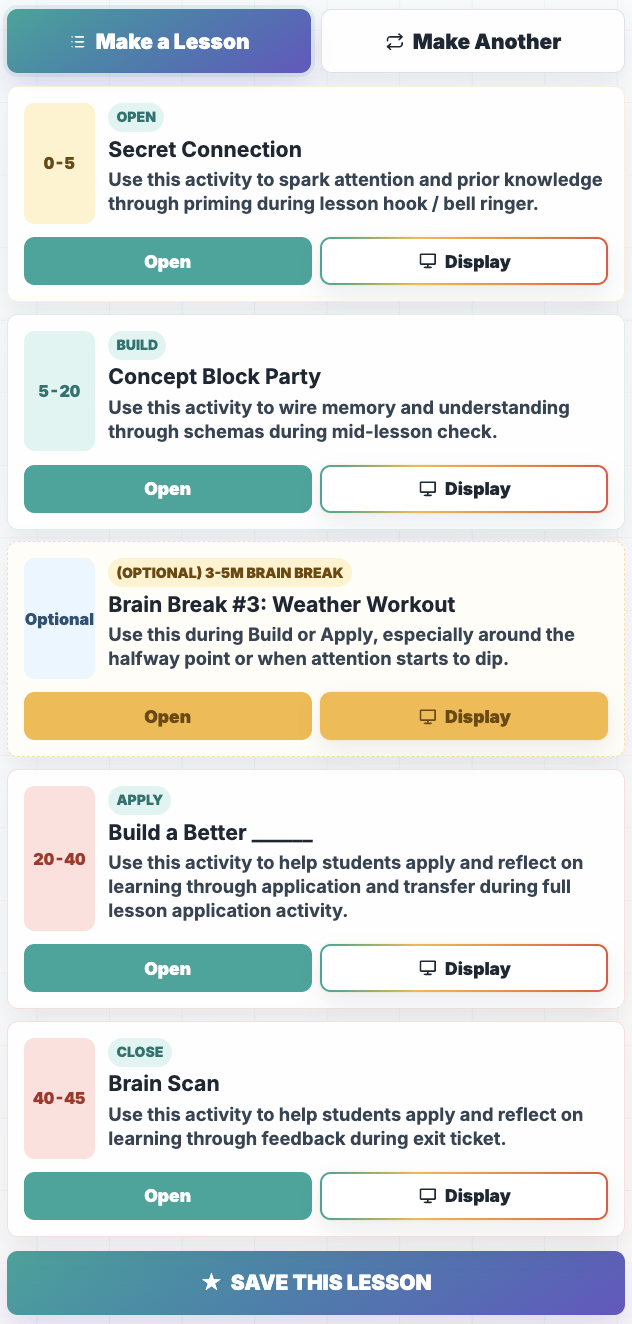
Build a sequence of 3 to 5 connected activities.
Decide what you need
Filter by lesson length: 45-, 60-, or 90-minutes.
Tap 1 - 3 goals you have for the lesson.
Pick 3 - 5 activities
Tap Make a Lesson. That’s it.
Save Your Favorites
Keep useful activities and lesson sequences easy to find for future classes.
Simply tap the star next to any activity you want to save or Save this Lesson at the bottom of the Lesson Maker.
Quick Tutorial
But don’t worry if you do not remember the directions on this page. The Master Teacher Toolkit web app comes with an easy and very visual 1-minute tutorial.
Simple Pricing
Every subscription includes access to both Activity Launcher and Lesson Maker.
Monthly
$4.99 per month
A flexible month-to-month option with full access to the Master Teacher Toolkit.
Annual — Best Value
$39.99 per year
Get a full year of access while paying less than the monthly option over twelve months.
Already have an account?
Frequently Asked Questions
What is included in my subscription?
Your subscription includes both Master Teacher Toolkit tools: Activity Launcher and Lesson Maker.
What is the difference between the two tools?
Activity Launcher helps you find individual classroom activities, including bell ringers, exit tickets, brain breaks, and longer class activities.
Lesson Maker combines activities into complete 45-, 60-, or 90-minute lesson sequences.
Do I need to download anything?
No. The Master Teacher Toolkit is a web-based application that opens in your browser.
Can I use it on my phone?
Yes. You can open the toolkit using your phone’s browser. You can also use it on a tablet or computer.
Does the toolkit provide my lesson content?
The toolkit provides activity structures and lesson sequences. You choose or adapt the specific questions, concepts, examples, and content for your students.
Is it only for one subject?
The activities are designed as flexible teaching structures that can be adapted to different subjects and grade levels.
Do I need a Squarespace account?
No. Your Master Teacher Toolkit account is separate from the Crush School website.
Where do existing customers log in?
Existing customers can log in at: app.crushschool.com/login
Spend Less Time Searching. Start Teaching.
Open the Master Teacher Toolkit and find your next activity—or build your next lesson—in seconds.