CRUSH SCHOOL

I blog on Brain-Based Learning, Metacognition, EdTech, and Social-Emotional Learning. I am the author of the Crush School Series of Books, which help students understand how their brains process information and learn. I also wrote The Power of Three: How to Simplify Your Life to Amplify Your Personal and Professional Success, but be warned that it's meant for adults who want to thrive and are comfortable with four letter words.

Filtering by Category: Teaching

Don’t Start With the App: Start With the Learning
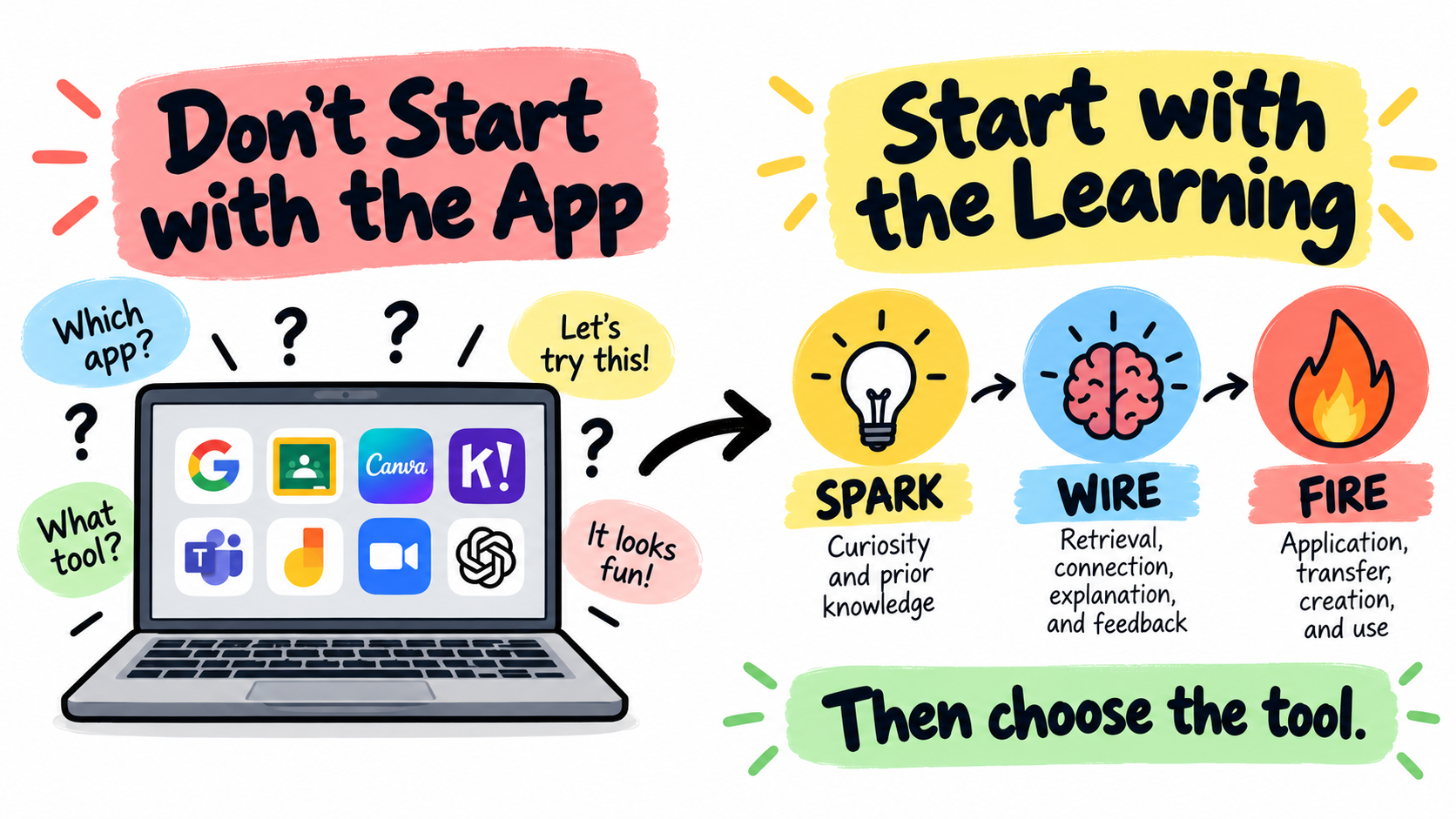
Colorful educational infographic showing “Don’t Start with the App” on one side with a laptop full of app icons, and “Start with the Learning” on the other side with the Spark-Wire-Fire sequence: Spark, Wire, Fire, then choose the tool.

Start with the learning first: spark curiosity, wire learning into memory, fire learning into application, and then choose the tool.

My 7th grader is working on his Language Arts homework at the dinner table as I’m writing my presentation for a workshop I’ll be doing in a couple weeks.

“How’s LA?,” I ask during a brain break.

“Boring,” his standard reply to almost anything school-related.

“Do you feel like you’re learning anything?,” I probe.

“Not really. We just fill out Google Docs on the readings from a book.”

“What book did you guys read?,” I ask because I know he likes reading.

“Not sure. It was a couple of paragraphs on our Chromebooks.”

“Oh. So what are you doing now?”

“We have to answer questions about it on a Google Doc,” he replies; eagerness zero, apathy two hundred.

Later, I catch him watching YouTube shorts in the other tab.

Teachers, Please Don’t Start With The App

Technology can make a lesson look impressive.

Students are clicking, dragging, typing, matching, submitting, designing, posting, reacting, watching, recording, and moving through screens like something very important is happening.

The room looks active. The devices are open.

The platform is working. There may even be a progress bar, which always makes things feel official.

But activity is not the same as learning.

A student can click through a digital lesson and remember almost nothing. She can complete an online escape room and still not understand the concept. She can make a gorgeous slide deck with copied information, weak thinking, and six fonts that should probably be reported to authorities as a crime against humanity’s sanity.

The problem is not technology.

The problem is starting with the app instead of starting with the learning.

Too often, we begin with the tool. We say, “Let’s use Canva,” or “Let’s make a Google Slides presentation,” or “Let’s try this new, cool, interactive platform.”

Sometimes that works. But at those times when the app becomes the lesson and the tool starts making the instructional decisions, the learning gets the shaft.

So instead of wondering: “What app should we use?,” let’s ask “What do students need to do to bring out the learning?”

That is where the Spark-Wire-Fire Framework helps.

Spark-Wire-Fire gives teachers a simple way to design learning before choosing the tool. It asks us to think about what students’ brains need to do before, during, and after instruction.

  1. Spark curiosity, attention, and prior knowledge.

  2. Wire learning into memory through retrieval, connection, explanation, feedback, and correction.

  3. Fire learning into application, transfer, creation, and use.

Technology can support all three.

But only if we plan the learning first.

The Tool Is Not the Strategy

A common mistake with classroom technology is confusing the tool with the strategy.

Google Slides is not a strategy. Canva is not a strategy. Kahoot is not a strategy. Nor is Gimkit, Padlet, or Snorkl.

Even a simulation or a digital breakout are not automatically strategies.

They are tools.

That does not make them bad. A hammer is useful. But if your entire lesson plan is “hammer,” we need to talk.

The strategy is what students are actually doing with their minds. Are they predicting, retrieving, explaining, comparing, sorting, revising, applying, defending, creating, connecting?

A digital task can look engaging while involving very little thinking. Students might search for answers, copy from notes, decorate slides, guess until the screen turns pale grey, or move information from one place to another without really processing it.

This is not a tech problem. It’s a design flaw.

In all fairness, the same weak task can happen on paper as well. Technology just makes it look a little shinier.

Start With Spark: What Will Make Students Want to Think?

A Spark activity prepares students to learn. It grabs attention, activates prior knowledge, reveals a misconception, creates curiosity, or gives students a reason to care about what comes next.

Technology is great for creating Spark activities.

You can show a strange image, pause a short video before the outcome, reveal a graph one piece at a time, run a quick poll, use a simulation to create a prediction, or show a real-world data point that makes students wonder what is going on.

But the key is that students must do something mentally active with it.

A video clip by itself is not a Spark. It becomes a Spark when students predict what will happen, explain what they noticed, identify a pattern, ask a question, or connect the clip to prior knowledge.

A poll by itself is not a Spark. It becomes a Spark when the results reveal disagreement, expose a misconception, or create a reason for students to want the lesson.

An image by itself is not a Spark. It becomes a Spark when students notice clues, make a prediction, and revise their thinking.

The technology provides the stimulus. The thinking makes it learning.

Instead of starting with, “I found a cool video,” start with, “What question will this video create in students’ minds?”

Instead of starting with, “Let’s use a poll,” start with, “What misconception do I want to uncover?”

Instead of starting with, “Let’s do an image reveal,” start with, “What prior knowledge do I want students to activate?”

That is how technology becomes useful. It stops being a decorative enhancement and starts becoming a learning tool.

Wire: What Will Strengthen the Learning?

A Wire activity helps students strengthen learning after they have been introduced to an idea. This is where retrieval practice, explanation, dual coding, elaboration, comparison, feedback, and correction matter.

This is also where technology can either help or quietly ruin things.

Technology often makes information easier to access. That can be useful, but it can also reduce the amount of retrieval students have to do. If students complete a task by searching, copying, clicking answers, or dragging obvious matches into boxes, they often finish the activity quickly without strengthening memory.

Efficiency over processing is exactly the wrong way to go in learning.

True learning requires effort. The brain does not accept shortcuts. If an edtech company claims their product makes learning better, it’s most likely a sales pitch, not a scientific fact.

Speaking of effort… I am not talking impossible effort or “let’s make this miserable because rigor” effort. I mean meaningful cognitive effort.

Students need to pull information from memory, explain ideas in their own words, compare similar concepts, correct mistakes, and organize what they know if memory encoding and later consolidation is to take place.

Technology can support this if we design the learning tasks around how the brain learns.

Instead of: “Watch this video and answer the questions.”

Try: “Watch the video once. Close it. Write everything you remember. Then rewatch and add what you missed.”

Now the technology supports retrieval.

Instead of: “Drag each vocabulary word to the correct definition.”

Try: “Sort the words into groups, name each category, and explain why each word belongs.”

Now the technology supports connection and explanation.

Instead of: “Complete the digital worksheet using your notes.”

Try: “Answer the first section without notes. Mark your confidence. Then use your notes to fix your answer.”

Now the technology supports retrieval, feedback, and correction.

The app did not make the lesson better. You did, and the the thinking you asked for did.

Fire: How Will Students Use the Learning?

A Fire activity asks students to apply learning. This is where students use ideas in a new context, solve a problem, create a product, make an argument, design a model, defend a decision, or explain a real-world connection.

Technology can be incredibly powerful here. Students can create videos, podcasts, infographics, models, maps, data displays, digital exhibits, presentations, animations, or interactive explanations.

They can collaborate and revise. They can share work with an audience. They can use tools that make their thinking more visible.

But Fire is not the same as “make something digital.”

A student can make a beautiful infographic and still not understand the concept. A student can spend 40 minutes choosing icons, colors, fonts, and transitions while the actual learning quietly leaves the room and dies.

A Fire activity requires students to use the learning, not just decorate.

Instead of: “Make a slide deck about renewable energy.”

Try: “Recommend which energy source your city should invest in. Use evidence about cost, reliability, carbon emissions, and environmental impact.”

Instead of: “Make a video about the water cycle.”

Try: “Create a short explainer showing how a disruption to one part of the water cycle affects at least two Earth systems.”

Instead of: “Create a poster about a historical event.”

Try: “Create a digital exhibit that argues which cause had the greatest impact and supports this claim with evidence.”

The product matters less than the thinking behind it.

If the technology helps students communicate, model, argue, analyze, or apply more effectively, use it.

If it mainly helps them make weak thinking look pretty—pause, rethink, and revise.

Pretty is just pretty. True learning is beauty.

A Better Way to Choose Technology

The better approach is simple. Do not start with the app, but with the thinking.

Ask yourself what students need to do cognitively. Do they need to retrieve information? Compare ideas? Explain a process? Analyze data? Correct a misconception? Apply a concept? Defend a claim? Create a model? Revise their thinking?

Once that is clear, choose the tool.

If students need to retrieve, a quick digital quiz, shared document, or no-notes response form might work.

If students need to compare, a digital sorting board, shared chart, or collaborative slide might work.

If students need to model, a drawing tool, simulation, or diagram platform might work.

If students need to apply, a podcast, infographic, video, argument slide, or digital exhibit might work.

The tool should serve the thinking, not the other way around.

The Spark-Wire-Fire Tech Filter

Before using a digital tool, run it through the Spark-Wire-Fire filter.

Spark: “Will this tool help create curiosity, activate prior knowledge, reveal a misconception, or focus attention?”

Wire: “Will this tool help students retrieve, explain, connect, compare, correct, organize, or get feedback?”

Fire: “Will this tool help students apply, transfer, create, argue, model, solve, or use the learning?”

If the answer is yes, the tool may be worth using.

If the answer is no, the tool may still look good, but it may not be doing much for learning.

That does not mean every activity must do all three. A five-minute bell ringer may only Spark. A mid-lesson activity may mostly Wire. A project may mostly Fire. The point is to know what role the activity is playing.

When we know the learning purpose, technology becomes easier to use well.

Examples of Better Tech Use

A digital Spark might be a mystery image reveal where students predict what they are seeing and explain the clues. The app or slide tool simply helps hide and reveal information. The learning comes from prediction, evidence, and revision.

A digital Wire activity might be a shared concept map built from memory. Students first create the map without notes, then compare with a partner, then revise using class materials. The tool helps organize thinking, but retrieval and correction do the heavy lifting.

A digital Fire activity might be a student-created recommendation, model, or explanation for a real-world problem. Students might use Canva, Google Slides, video, or another tool, but the task requires evidence, application, and reasoning. The technology helps students communicate the learning, but does not replace it.

This is the difference between technology as decoration or entertainment and technology as learning design—the difference between “Does it look engaging?” and “What thinking does this require?”

The Green Checkmark Is Not Enough

One of the easiest traps with digital learning is the green checkmark.

Students submit an answer. The screen tells them they are correct. Everyone feels good for three seconds.

But a green checkmark does not always mean learning happened.

It may mean the student guessed correctly. It may mean the student recognized the answer. It may mean the student copied from notes or used AI.

Or, maybe the platform gave enough clues that thinking became optional.

Feedback should help students understand what to keep, change, fix, or try next. That means we may need to add the thinking ourselves. In fact, most of the time you must because app defaults suck.

After a digital quiz, ask students to choose one missed question and explain the mistake. After a matching activity, ask students to write one relationship in their own words. After a simulation, ask students to explain what changed and why. After a slide project, ask students to defend one design choice connected to content, not just aesthetics.

Technology can give fast feedback. Teachers have to make it count.

Final Thoughts

Technology can improve learning. It can bring in powerful visuals, simulations, collaboration, creativity, feedback, accessibility, real-world data, and opportunities students would not have otherwise.

But technology does not improve learning simply by being there.

An app is not a lesson plan, a platform is not pedagogy, and a digital activity is not automatically deeper than a paper one.

The question is not whether students are using devices, but whether students are thinking in ways that help learning stick.

That is why I keep coming back to Spark-Wire-Fire. Spark curiosity and attention. Wire learning into memory. Fire learning into application.

Start there. Then choose the tool.

Because the best technology in the classroom is not the tool that looks the coolest, contains the best features, or has the cleanest dashboard.

It is the tool that makes students think.


If you want an edtech tool designed to help students think the Master Teacher Toolkit app might be worth checking out. The app contains bell ringers, exit tickets, mid-lesson checks, and other Spark-Wire-Fire strategies that help bring out deeper processing of information, which is what learning is all about.

And if you just want the strategies check out my book Spark. Wire. Fire. on Amazon. It will help you design lessons that help students think, retrieve, connect, apply, and a whole lot more with or without the tech.


BOOKS & TOOLS
 
3 Memory Palace Lessons
$3.00

Flashcards are okay but there's a better way. The Memory (or Mind) Palace Method is a powerful learning and memorization technique that when mastered allows a student to remember 10, 20, or even 30 vocabulary words or concepts (definitions included) with ease.

And, they actually remember what they learned using memory palaces! This series of lessons (which can be used as classroom handouts) walks students through creating their first memory palace, filling it with information they need to learn, and using it to train their memories. It also contains short readings, a video lesson, memory palace examples, and practice drills.

Fair Use

Feel free to use with your students. Please do not share it with other parties or use for profit. All rights by crushschool.com.

 
EQUITY Poster
$1.50

Equity-Promoting Classroom Poster. What does EQUITY in the classroom look like?

  • Everyone has a different start and finish line

  • Quality is more important that quantity

  • Understanding that diversity makes us stronger

  • Inclusion despite beliefs, appearances, and circumstances

  • Thoughtfulness lowers barriers and reduces biases

  • Yesterday's mistakes are today's learning agenda

You can teach your students about equity and make it a daily classroom practice using this inspirational poster, which also includes images that accompany the equity description. You can discuss each letter characteristic with your students as a way of introducing your inclusive classroom and display it prominently as a reminder that diversity makes the classroom community stronger.

 
Mistakes Are... Poster
$3.00

In this classroom Mistakes are Expected, Respected, Inspected, Corrected!

Learned helplessness is a result of years of conditioning that mistakes are bad for learning. Nothing is further from the truth - some of the most powerful life lessons come from making mistakes, reflecting on them, and growing as a result.

This is a PNG Poster you can print and display in your classroom to encourage a culture of risk-taking and learning from mistakes.
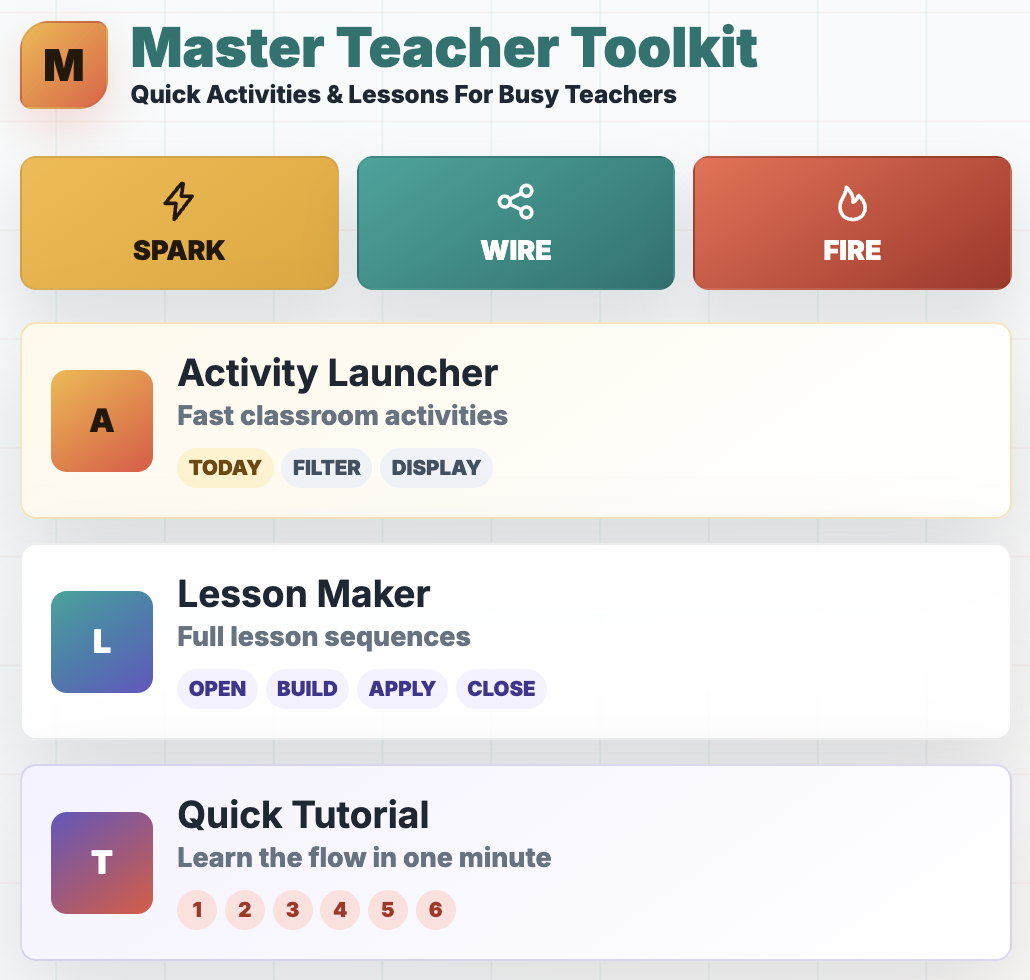
 
Master Teacher Toolkit home screen featuring the Activity Launcher for quick classroom activities and Lesson Maker for building structured 45-, 60-, or 90-minute lesson sequences

Teaching App

Launch engaging, deeper learning activities and lessons in seconds. Then, launch and display them to students instantly.
 
Book cover for Spark. Wire. Fire.: 100 Ready-to-Use Classroom Activities That Inspire Curiosity, Strengthen Memory, and Apply Learning, a teacher resource focused on classroom engagement, memory, and active learning strategies.

NEW BOOK

100+ practical activities teachers can use right away with little or no prep.
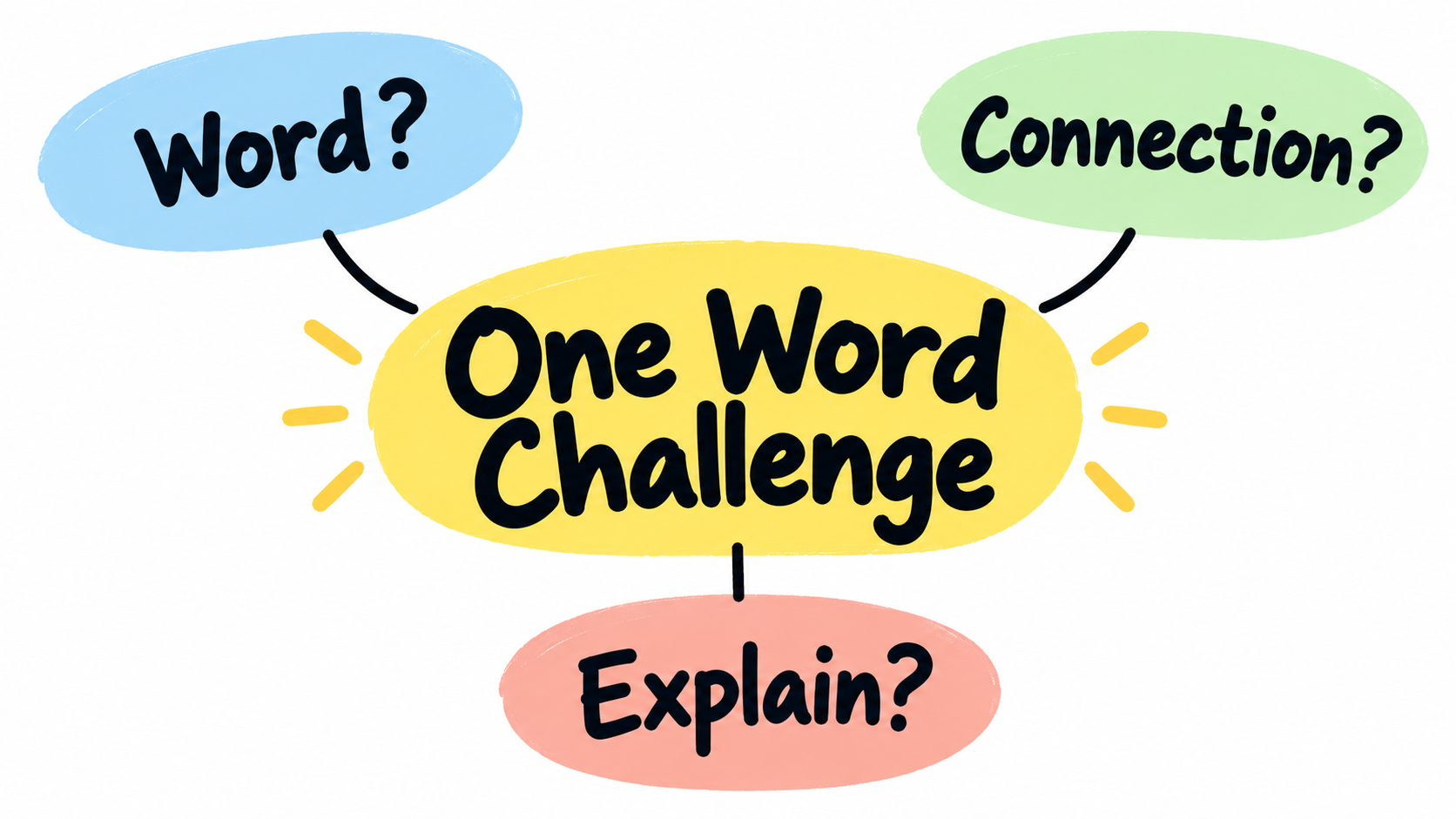
One Word Challenge: A Simple Bell Ringer That Builds Better Connections

Simple educational graphic titled “One Word Challenge,” showing three connected bubbles labeled “Word?”, “Connection?”, and “Explain?” to represent a quick bell ringer that builds student thinking.

One Word Challenge helps students start class by choosing a connected word and explaining how the ideas relate.

Some bell ringers ask students to answer a question.

Some ask them to recall a definition.

Others ask them to write three sentences about something they barely remember from yesterday, which usually results in a couple sentence fragments and a heroic attempt to stretch IDK into academic language.

Some such bell ringers are necessary. The problem is that too many of them are either too passive, too disconnected, or too complicated for the first five minutes of class.

Students need something quick enough to start immediately, but meaningful enough to get their brains moving.

One Word Challenge works really well for this.

One Word Challenge is a simple Spark strategy that asks students to connect one word to another and explain the relationship. That’s it. No elaborate direction steps.

One word, one connection, and one explanation.

So What Is One Word Challenge?

One Word Challenge starts with a single word connected to the day’s lesson, a previous lesson, or a larger unit. Students respond by writing one related word and then explaining how the two words connect.

For example, if the word is convection, a student might write mantle because convection currents in the mantle help move tectonic plates. Another student might write density because warmer, less dense material rises while cooler, denser material sinks. A third student might write wind because convection also affects air movement in the atmosphere.

The activity is simple, but the thinking is not. Students have to retrieve something they know, choose a connection, and explain why that connection makes sense. That is much more useful than just copying a definition from the board while their brain quietly waits for class to actually begin.

The explanation is the most important part.

Without it, One Word Challenge becomes a word association game. With it, the activity becomes retrieval, reasoning, elaboration, and connection-making.

That is a lot of learning for one word.

How to Use One Word Challenge

Start by choosing one important word. It can be a vocabulary term, concept, person, event, process, skill, theme, equation, symbol, or category. Write that word on the board, project it on a slide, or say it out loud.

Then give students this simple prompt: “Write one word connected to today’s word. Then explain the connection in one sentence.”

That is the basic version, and it works beautifully because students can start right away. They do not need a handout or to ask, “Wait, what are we doing?” twelve times, although someone still might because tradition matters.

After students write, have them share with a partner. Then ask for a few examples from the class. As students share, you can quickly see what they remember, what connections they are making, and where misconceptions might be hiding.

For an even stronger version, ask students to improve their first response. After hearing a partner’s idea, they can add a better explanation, choose a stronger connection, or write a second connected word. This small revision step turns the activity from a quick warm-up into a better thinking routine.

Why It Works

One Word Challenge activates prior knowledge. Before students can learn something new, they need something to connect it to. The brain does not store information like a filing cabinet where every idea politely waits in its own folder. Learning is more like a network. New ideas stick better when they attach to ideas student brains already store.

The activity also creates retrieval practice. Students have to pull a related word from memory instead of simply recognizing one from a list. That small act of remembering matters as retrieval strengthens learning. It also helps students realize what they know and what they only sort of recognize.

One Word Challenge promotes elaboration. When students explain the connection between two ideas, they are adding meaning. They are not just saying, “These two things go together.” They are explaining how and why they go together. That extra thinking helps deepen understanding.

It also gives teachers fast feedback. If the word is erosion and students write weathering with a strong explanation, great. If they write volcano and the explanation is “because Earth science,” you have learned something useful.

Maybe the concept map in their head looks like a junk drawer. Maybe the student has a loose connection. Or loose screw. Either way, now you know.

Classroom Examples

In Earth and Space Science, you might put the word plate tectonics on the board. A student could write earthquakes because earthquakes often happen along plate boundaries where plates move, collide, or slide past each other. Another student could write mountains because some mountains form when plates collide and push rock upward.

In Chemistry, you might use the word atom. Students could connect it to proton, element, bond, electron, or nucleus. Each connection reveals a different piece of understanding. A student who writes element and explains that elements are defined by the number of protons in their atoms is showing a much stronger connection than a student who writes small because atoms are small.

In English, you might use the word conflict. Students could connect it to character because conflict reveals what a character wants, fears, or values. They could connect it to theme because the way a conflict is resolved often helps reveal the message of a story.

In Social Studies, you might use the word revolution. Students could connect it to power, taxation, protest, government, or inequality. The class discussion becomes more interesting when students see that different words can connect to the same concept in different ways.

In Math, you might use the word slope. Students could connect it to rate, line, change, graph, or equation. The explanations tell you whether students understand slope as a memorized formula or as a relationship between quantities.

The word can be simple. The thinking should be deep.

Easy Variations

Once students understand the basic routine, you can change the challenge slightly to fit your evil plans. This keeps the activity fresh without turning it into a completely new set of directions every time.

You can ask students to choose a word from last week’s learning instead of yesterday’s. This adds spacing, which helps students revisit older material before it disappears into the academic fog.

You can ask for a word from another unit. This pushes students to make bigger connections across the course. For example, a Chemistry student might connect energy to bonding, reaction rate, phase change, or thermochemistry.

You can ask students to choose a word that shows cause and effect. For example, if the word is deforestation, a student might choose erosion because removing trees can increase soil loss.

My fave is asking students to name the most surprising connection they can conjure and defend. This adds a little creativity, evidence still required. The word cannot be random. It has to make some kind of sense.

You can also turn it into a partner challenge. Student A writes a connected word. Student B has to explain the connection. Then they switch. This works well because it helps students practice listening and flexible thinking.

What to Watch Out For

The most common problem with One Word Challenge is shallow answers. Students may write a connected word that is technically related but explain it in a vague way. You will see sentences like, “They are connected because they both have to do with science,” which is true in the least helpful and most teacher-annoying way possible.

That is why the explanation matters. Push students to be specific and ban basic answers. A good response should explain the relationship clearly enough that someone else can understand the connection without guessing or being amused by the annoyance it causes.

Another issue is that students may choose the easiest possible word every time. That is not always bad, especially at the beginning, but over time you can raise the challenge. Ask for a less obvious connection. Ask them to use a word from a previous unit. Ask them to explain a connection no one else at their table used.

You can also model a weak response and a strong response. For example:

Weak response: ”Convection connects to heat because they are related.”

Stronger response: ”Convection connects to heat because warm material becomes less dense and rises, while cooler material sinks, creating a cycle of movement.”

Students usually do better when they see what better looks like, so you better show them. This will make you a better teacher. Just annoyin’.

Why It Makes a Good Spark Bell Ringer

A Spark bell ringer should prepare students to learn. It should wake up relevant ideas, create curiosity, or help students start making meaning before the main lesson begins. One Word Challenge does this because it is fast, flexible, and cognitively active.

It also works because it lowers the barrier to entry. Students do not have to write a paragraph. They do not have to solve a long problem. They do not have to complete a worksheet before their brain has fully accepted that class is really happening. They just need to make one connection and explain it.

That simplicity is the strength of the activity. It is easy enough to use on a regular basis, but meaningful enough to support deeper learning.

And honestly, that is what teachers need more of. Not more complicated routines. Not more beautiful activities that require 42 minutes of prep and a level of organization no mortal can sustain in October.

Just simple strategies that students can do quickly and teachers will actually use.

Final Thoughts

One Word Challenge is not flashy. It is not a gamified review. It does not require music, animations, or a dramatic reveal. It is just one word, one connected word, and one explanation.

But it is a small routine that does a lot. It helps students retrieve information, activate prior knowledge, build connections, explain their thinking, and prepare for the lesson ahead.

That is what a good bell ringer should do.

It shouldn’t just fill time. It should jumpstart brains.


For 100+ ready-to-use activities that help students think, retrieve, connect, and apply, check out my book Spark. Wire. Fire. on Amazon.

If you want faster access to bell ringers, exit tickets, mid-lesson checks, and other active content review strategies my Master Teacher Toolkit app helps you find classroom-ready ideas instantly.


BOOKS & TOOLS

 
3 Memory Palace Lessons
$3.00

Flashcards are okay but there's a better way. The Memory (or Mind) Palace Method is a powerful learning and memorization technique that when mastered allows a student to remember 10, 20, or even 30 vocabulary words or concepts (definitions included) with ease.

And, they actually remember what they learned using memory palaces! This series of lessons (which can be used as classroom handouts) walks students through creating their first memory palace, filling it with information they need to learn, and using it to train their memories. It also contains short readings, a video lesson, memory palace examples, and practice drills.

Fair Use

Feel free to use with your students. Please do not share it with other parties or use for profit. All rights by crushschool.com.

 
EQUITY Poster
$1.50

Equity-Promoting Classroom Poster. What does EQUITY in the classroom look like?

  • Everyone has a different start and finish line

  • Quality is more important that quantity

  • Understanding that diversity makes us stronger

  • Inclusion despite beliefs, appearances, and circumstances

  • Thoughtfulness lowers barriers and reduces biases

  • Yesterday's mistakes are today's learning agenda

You can teach your students about equity and make it a daily classroom practice using this inspirational poster, which also includes images that accompany the equity description. You can discuss each letter characteristic with your students as a way of introducing your inclusive classroom and display it prominently as a reminder that diversity makes the classroom community stronger.

 
Mistakes Are... Poster
$3.00

In this classroom Mistakes are Expected, Respected, Inspected, Corrected!

Learned helplessness is a result of years of conditioning that mistakes are bad for learning. Nothing is further from the truth - some of the most powerful life lessons come from making mistakes, reflecting on them, and growing as a result.

This is a PNG Poster you can print and display in your classroom to encourage a culture of risk-taking and learning from mistakes.

 
Master Teacher Toolkit home screen featuring the Activity Launcher for quick classroom activities and Lesson Maker for building structured 45-, 60-, or 90-minute lesson sequences

Teaching App

Launch engaging, deeper learning activities and lessons in seconds. Then, launch and display them to students instantly.

 
Book cover for Spark. Wire. Fire.: 100 Ready-to-Use Classroom Activities That Inspire Curiosity, Strengthen Memory, and Apply Learning, a teacher resource focused on classroom engagement, memory, and active learning strategies.

NEW BOOK

100+ practical activities teachers can use right away with little or no prep.
Mystery Reveal: A Better Bell Ringer for Curiosity and Thinking

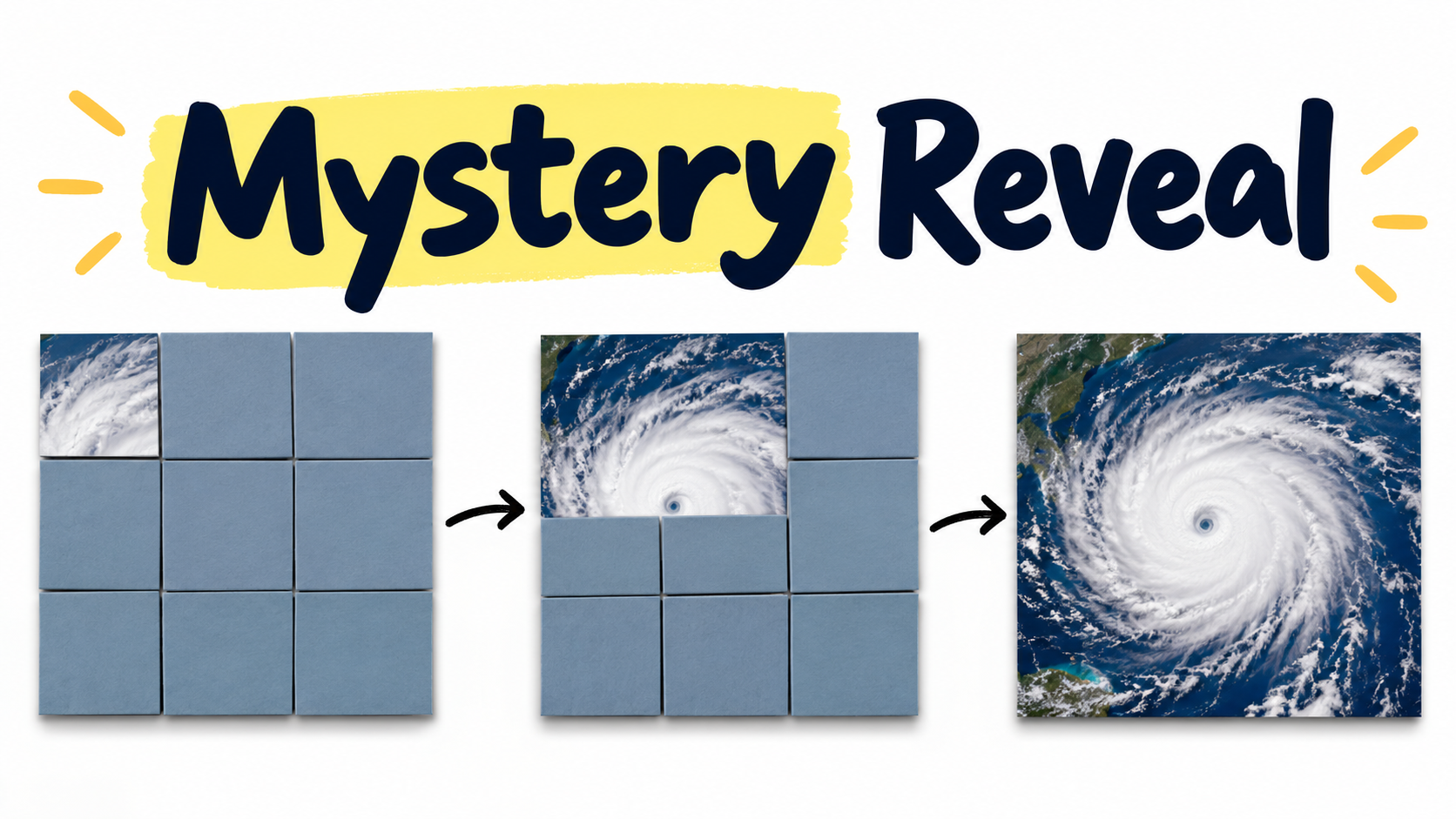
Simple educational graphic titled “Mystery Reveal,” showing three panels of a hurricane image being gradually uncovered from hidden tiles, with arrows showing the reveal sequence.

Mystery Reveal sparks curiosity by showing students part of an image, graph, quote, or problem and asking them to predict, revise, and connect their thinking to the lesson.

A lot of bell ringers are technically fine.

Students come in, sit down, answer a question or solve a problem, keep students busy while we take attendance, quickly answer an email, and mentally prepare for whatever sixth period plans for us.

But a good bell ringer should do more than occupy students.

A good bell ringer should spark learning; prepare the brain. It should make students curious, activate what they already know, and give them a reason to pay attention to what comes next.

That is the purpose of a Spark activity in the Spark-Wire-Fire Framework. It prepares students to learn before the main lesson begins. It challenges their thinking in perhaps unusual and unexpected way.

It does not need to be complicated or use a lot of technology.

It just needs to tickle the brain the way Mystery Reveal does.

What Is Mystery Reveal?

Mystery Reveal is a bell ringer that begins with partial information. Instead of showing students the whole thing right away, you hide part of it. Students might see one corner of a photo, one section of a graph, one line from a quote, one small part of a diagram, or one step of a problem.

Their job is to figure out what they are looking at.

At first, their guesses may be rough. That’s okay. The point is not to be correct, but to get them thinking. As more information appears, students update their predictions. They may confirm their original idea, abandon it, or realize they were completely off.

Students are no longer passively waiting for the teacher to tell them what something means, but actively building meaning from clues.

In other words, their brains are awake for the lesson.

How to Use Mystery Reveal

To use Mystery Reveal, choose something connected to the day’s learning. It could be an image, graph, diagram, quote, map, object, equation, political cartoon, or a historical artifact. Then cover most of it with rectangular or square shapes.

Start by revealing only a small piece. Ask students what they think it is and what evidence supports their prediction. Then reveal another piece and ask them to revise their thinking. Continue until the full image or example is visible. Then, connect the reveal to the day’s lesson.

The basic flow is simple:

  1. Show a small part.

  2. Students predict.

  3. Reveal more.

  4. Students revise.

  5. Reveal the whole thing.

  6. Connect it to the lesson.

The key is to ask students to explain their reasoning. “What do you think it is?” is the start, but “What makes you think that?” is where learning happens. That second question forces students to notice details, use evidence, and connect the mystery to what they already know.

What It Can Look Like in Class

In Earth and Space Science, you might slowly reveal a satellite image of a hurricane. At first, students may only see a swirl of clouds. They might guess tornado, galaxy, storm, or smoke. As more of the image appears, they notice the circular shape, the eye, the ocean beneath it, and the cloud bands. Now they can revise their prediction and explain how they know it is a hurricane.

In Chemistry, you might reveal part of a particle diagram. Students may first notice dots, colors, or spacing. As more of the model appears, they begin to identify whether they are looking at an element, compound, mixture, solid, liquid, gas, or reaction. The reveal becomes a way to activate vocabulary and get students thinking about structure before you teach or review the concept.

In English, you might reveal one sentence or phrase from a larger quote. Students predict the speaker, mood, conflict, or theme. As more of the quote appears, they revise their interpretation. This works especially well before reading a short story, poem, speech, or argument because students begin with inference instead of summary.

In Social Studies, you might reveal part of a map, political cartoon, propaganda poster, or historical photograph. Students look for clues: clothing, symbols, location, facial expressions, weapons, borders, slogans, or perspective. Before you explain the historical context, students are already asking questions and making observations.

In Math, you might reveal part of a graph, geometric figure, data display, or worked problem. Students predict what kind of function, pattern, mistake, or relationship they are seeing. When the full example appears, they can compare their prediction to the actual structure.

The strategy works because it is flexible.

It does not belong to one subject.

It belongs to the brain. Any brain.

Why Mystery Reveal Works

Mystery Reveal works because curiosity focuses attention. When students make a prediction, they create a mental gap between what they know and what they want to know. That gap makes the reveal more meaningful.

Students care more about the answer because they have already invested a guess or two into it.

The strategy also activates prior knowledge. Students cannot make a prediction from nothing. They have to pull from what they have seen before, what they remember, what patterns they recognize, and what clues seem familiar. This primes the brain for the lesson because students are already connecting new information to existing knowledge.

Mystery Reveal also encourages students to revise their thinking. That’s HUGE.

In real learning, students often need to update their first idea. They notice something new, compare evidence, rethink a claim, and adjust their explanation. Mystery Reveal builds that habit in a quick, low-pressure way.

And perhaps most importantly, it makes students do cognitive work right away.

They are not copying, waiting,OR pretending to be busy. They are observing, predicting, explaining, and revising.

Not too shabby..

What Makes a Good Mystery Reveal?

Always connect it to the lesson. The mystery should not be random just because random entertains. If you reveal a close-up picture of a banana and then teach plate tectonics, students may be awake, but they will also be confused and perhaps wonder if Earth’s crust slides about on giant banana peels or something.

The best Mystery Reveals create curiosity and lead directly into the lesson.

A good reveal also gives students a fighting change—enough clues so they can make reasonable predictions. If the first tile shows nothing but off-white pixels, you have created not curiosity, but resentment. Start with a clue that is unclear but useful. Students should be able to notice something meaningful, even if they cannot identify the full image yet.

It also helps if the reveal allows for revision. If students know the answer after the first tile, the mystery is over too soon. If they still have no idea after six tiles, the mystery becomes annoying. Aim for that sweet spot where students can make a guess, question it, and improve it as more information appears.

Finally, keep it short. Mystery Reveal is a bell ringer, not a five-season Netflix series. Five minutes works well.

Easy Mystery Reveal Prompts

Here are a few prompts you can use with almost any Mystery Reveal:

  • What do you think this is? What evidence supports your prediction?

  • What detail seems most important so far?

  • What is one prediction you are starting to doubt?

  • What new clue changed your thinking?

  • What do you think will be revealed next?

  • How might it connect to what we are learning today?

These questions turn the activity from a guessing game into a thinking routine. Students are not just shouting random answers. They are practicing observation, evidence, revision, and explanation.

They fell under our spell, which, unfortunately for them, is learning.

A Simple Example

Imagine you are teaching weather systems. You place a satellite image of a hurricane on a slide and cover it with nine tiles. You reveal one tile showing curved white cloud bands over blue ocean.

Students write a quick prediction. Some say hurricane. Some say storm. Some say galaxy because apparently everything circular in science is either a hurricane or a galaxy.

You reveal another tile. Now they see more cloud rotation. Students revise. You ask, “What evidence supports your prediction?” They mention the spiral shape, cloud bands, and ocean location. You reveal the rest of the image and connect it to warm ocean water, low pressure, rotation, and storm development.

In five minutes, students have already activated prior knowledge, used evidence, revised a prediction, and walked into the lesson with a reason to care.

That is much better than beginning with, “Today we will learn about tropical cyclones,” followed by the silent emotional collapse of everyone in the room.

Keep It Simple

Mystery Reveal does not require fancy technology. You can make it in Google Slides or PowerPoint by placing rectangles over an image and deleting them one at a time. For younger students, you can even hold up an object in a bag and slowly reveal parts of it.

The point is not the tool, but the thinking.

If students are predicting, explaining, revising, and connecting, the strategy is working. If the activity becomes more about animations, transitions, sound effects, and teacher performance, it may look more exciting, but the learning can get buried under the show.

Keep the design simple. Keep the reveal focused. Keep the connection to the lesson clear.

Final Thoughts

Mystery Reveal is one of those strategies that works because it respects how attention actually works. Students are more likely to engage when there is something to figure out. They are more likely to remember when they connect new information to what they already know. They are more likely to think deeply when they have to explain and revise.

That is what a good Spark bell ringer should do.

It should not just start the class. It should start the thinking.

Mystery Reveal does that with a simple routine: show a little, predict, reveal more, revise. Then connect. It’s quick, flexible, low-prep, and usable in almost any subject.

And best of all, it gives students a reason to lean in before they check out.

Which is nice, because otherwise we might just be standing there with a learning objective on the board, hoping it works like a magic spell.


Want More Learning That Works?

If you enjoyed the ideas in this article, you'll find 100 more inside Spark. Wire. Fire.: 100 Ready-to-Use Classroom Activities that Inspire Curiosity, Strengthen Memory, and Apply Learning.

This practical guide is packed with simple, classroom-tested activities designed to increase engagement, strengthen memory, improve retrieval, and help students become more independent learners. Every strategy is grounded in cognitive science and can be implemented with minimal preparation.

Whether you're looking for new bell ringers, review activities, discussion starters, retrieval practice activities, or effective strategies for distracted students, you'll find ready-to-use ideas that help transform passive classrooms into active learning environments.

Check it out on Amazon and discover more learning that works.

And if you’d like instant access to Retrieval, Spacing, Interleaving, and many other high impact classroom activities subscribe to the Master Teacher Toolkit and launch them in seconds.


BOOKS & TOOLS

 
3 Memory Palace Lessons
$3.00

Flashcards are okay but there's a better way. The Memory (or Mind) Palace Method is a powerful learning and memorization technique that when mastered allows a student to remember 10, 20, or even 30 vocabulary words or concepts (definitions included) with ease.

And, they actually remember what they learned using memory palaces! This series of lessons (which can be used as classroom handouts) walks students through creating their first memory palace, filling it with information they need to learn, and using it to train their memories. It also contains short readings, a video lesson, memory palace examples, and practice drills.

Fair Use

Feel free to use with your students. Please do not share it with other parties or use for profit. All rights by crushschool.com.

 
EQUITY Poster
$1.50

Equity-Promoting Classroom Poster. What does EQUITY in the classroom look like?

  • Everyone has a different start and finish line

  • Quality is more important that quantity

  • Understanding that diversity makes us stronger

  • Inclusion despite beliefs, appearances, and circumstances

  • Thoughtfulness lowers barriers and reduces biases

  • Yesterday's mistakes are today's learning agenda

You can teach your students about equity and make it a daily classroom practice using this inspirational poster, which also includes images that accompany the equity description. You can discuss each letter characteristic with your students as a way of introducing your inclusive classroom and display it prominently as a reminder that diversity makes the classroom community stronger.

 
Mistakes Are... Poster
$3.00

In this classroom Mistakes are Expected, Respected, Inspected, Corrected!

Learned helplessness is a result of years of conditioning that mistakes are bad for learning. Nothing is further from the truth - some of the most powerful life lessons come from making mistakes, reflecting on them, and growing as a result.

This is a PNG Poster you can print and display in your classroom to encourage a culture of risk-taking and learning from mistakes.


Smart Practice Digital Poster
Sale Price: $2.00 Original Price: $3.00

Retrieval Practice, Spaced Practice, and Mixed Practice (Interleaving).

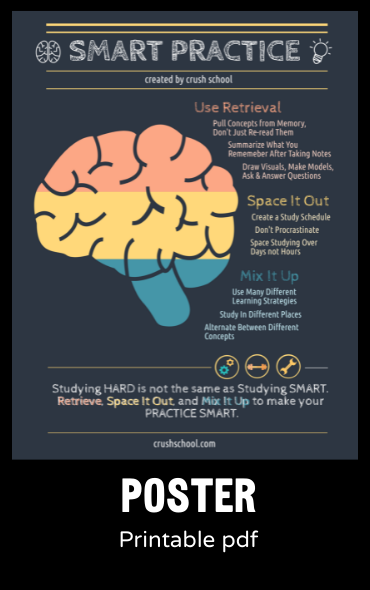
Studying Hard is not the same as Studying Smart. This High Quality printable, digital (PNG) poster is a constant classroom reminder of best practices for teachers and learning the smart way for students.


Crush School Rhymes (School Success)
$7.00

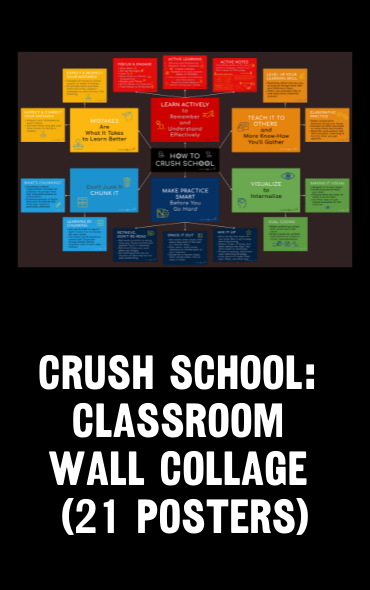
Classroom Wall Collage designed to promote effective, research-based, active learning strategies. Consists of 6 categories:

Learn Actively (Active Learning Strategies to avoid passive learning)

Mistakes Are What It Takes to Learn (Promoting a classroom culture of making and learning from mistakes and why such learning is effective)

Don’t Junk It, Chunk It (How to use the brain chunking technique)

Make Practice Smart (How to use smart and intentional study strategies instead of regurgitating and cramming information)

Visualize to Internalize (Dual Coding Strategy)

Teach It To Others (How to use what you learn to teach others to in turn learn it on a deeper level)

Each category includes 2 or 3 more specific descriptions of how it should be used. And, it rhymes for extra swag and student retention!

A total of 21 posters. Upon payment, you will be directed to a Google Drive link, which gives you 24 hours to copy the folder containing all 21 images to your Google Drive to use for educational purposes only.


Teaching App

Build engaging lessons in seconds. Then, launch and display them to students instantly.

 
Book cover for Spark. Wire. Fire.: 100 Ready-to-Use Classroom Activities That Inspire Curiosity, Strengthen Memory, and Apply Learning, a teacher resource focused on classroom engagement, memory, and active learning strategies.

NEW BOOK

100+ practical activities teachers can use right away with little or no prep.