CRUSH SCHOOL

I blog on Brain-Based Learning, Metacognition, EdTech, and Social-Emotional Learning. I am the author of the Crush School Series of Books, which help students understand how their brains process information and learn. I also wrote The Power of Three: How to Simplify Your Life to Amplify Your Personal and Professional Success, but be warned that it's meant for adults who want to thrive and are comfortable with four letter words.

Filtering by Tag: skills

Candy Crush vs. Chemistry: What Will the Brain Remember?
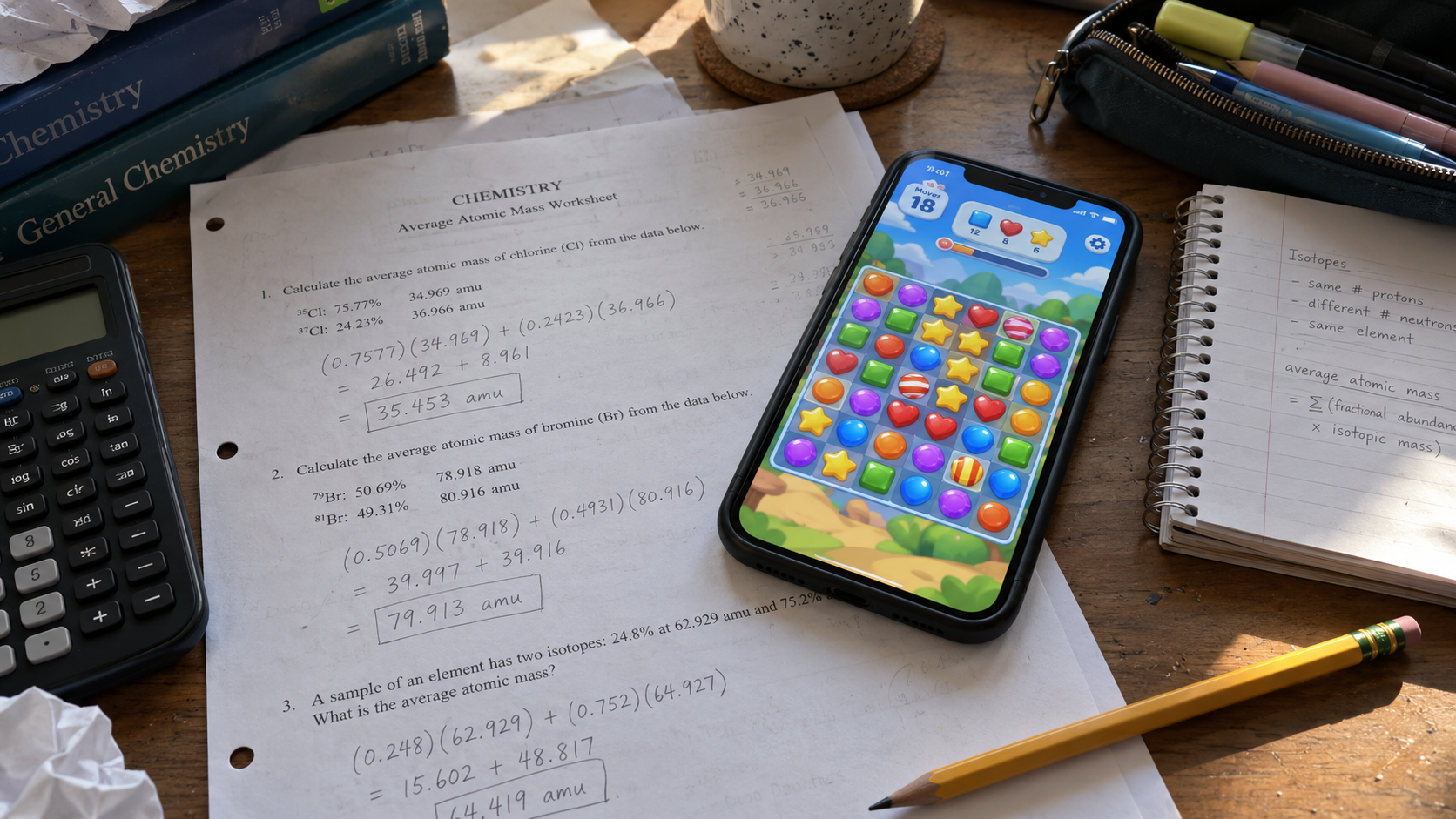
Smartphone displaying a colorful puzzle game rests on a chemistry worksheet filled with average atomic mass calculations, illustrating the competition between digital distractions and student learning.

Candy Crush vs. Chemistry: When students switch between learning and entertainment, what happens to attention, memory, and understanding?

A high school junior picks up her phone and plays a few Candy Crush moves in between average atomic mass calculations in chemistry. I walk up frowning.

“But I’m done with the problem and I want to play my video game while I wait for everyone else to finish,” she says.

She thinks she has a point and it might sound valid to a random eavesdropper, but she doesn’t know.

She doesn’t know that she’s going against her biology.

“But I finished it, so what’s the big deal?,” she insists.

“Well done, but this is not about you slacking off,” I reply.

We go back and forth. I’m not sure why I’m getting into it with her.

Finally, annoyance in his voice, a kid sitting at her table saves us both by simplifying: “He wants you to put your phone away!”

It’s that damn Digital Delusion book I’ve been listening to on my rides to and back from work. And though the title suggests the author’s main goal is to sway educators away from educational technology, to me, his book is a cognitive science one—a discourse on how learning does and doesn’t work.

Fractured focus is real in today’s classroom. So is loss of information.

The Big Cognitive Deal

The brain consolidates memories while we sleep. It replays the “important” memories at night while at rest. The human hippocampus serves as a review machine of sorts—first encoding and strengthening memories, and later working with the cortex to recall that information.

But what makes memories important?

How does the human brain choose what to replay and remember?

I wish there was an easy answer that would allow every teacher to extract and implement its wisdoms in the classroom to maximize memory formation and minimize forgetting. There isn’t.

But while this eureka-sized brain discovery still eludes us, there are a few straightforward things we think we know. Studies involving human memory show that what we pay attention to and how meaningfully we process information have a major influence on how well we encode and later remember it.

So I wonder this about my chemistry junior: How much of the chemistry-related information is she actually encoding while switching from class content to her phone and how much of what will get replayed in her hippocampus at night has to do with the saga of the Candy Crush variety?

After all, she’s switching between these two tasks. Moreover, my interaction with her leads me to believe her conscious mind is prioritizing the video game while treating the atomic mass as necessary evil.

How does her hippocampus weigh the importance of these two experiences at night?, I consider. What does it deem worth saving?, I wonder.

Taking On Our Own Biology And Losing

The conscious human brain can’t multitask, so when a student attempts to do two things at once, task switching is what they’re really doing.

The phone distraction vs. human memory game has concluded. There are many studies that tell the same tale. Memory lost. It didn’t stand a chance.

Switching between learning and phone interrupts encoding, which leads to often incomplete or inaccurrate processing of information. Phone 1, Memory 0.

Working memory and processing of information are less effective when class content is competing against phone entertainment, draining our brain’s cognitive resources all at the same time. Phone 2, Memory 0.

Returning from one task to another requires the brain to repeatedly reset attention and goals to the new task, making learning less efficient and producing more errors. Phone 3, Memory 0.

The human brain is simply not built to give two cognitively demanding tasks its full attention simultaneously. What we often call multitasking is actually rapid task-switching between activities that use the same attention and compete for the same limited working-memory.

When I so-harshly demanded that my chemistry student put her phone away I couldn’t help but think: How deep is her processing and understanding of this concept? She seems to be able to plug in the numbers into the formula and get the right answer, but is she truly understanding what she’s actually doing, given the presence of competing information and the entertainment her phone provides? Will she be able to recall how to do this next week?

The answer is probably more shallow than I’d like, but time will tell.

No Rest For The (Phone-Wielding) Wicked

Recent studies show that memory consolidation also occurs during rest periods while we’re awake. In a classroom setting, teachers can help activate their students’ hippocampal memory replay process with a short, cognitively-undemanding break from the active task they’re undertaking.

Perhaps we can let them stand up and walk a little or talk to a friend about this Friday’s football game for five minutes; encoding and consolidation happening in the background.

But when my junior kept picking up her phone in between the calculations, I kept thinking: Is she giving her brain a fair chance to encode and consolidate what she’s learning? Or, Is the swiping of colorful candy pieces and the problem-solving required for it too demanding for her brain to be at the rest level required for the background memory replay to take place?

I am not convinced that we know exactly what is happening in young brains in those moments, but multiple research studies point to excessive screen usage causing thinning of the brain’s cerebral cortex and reduction in its grey matter in adults, both responsible for processing memory and other brain functions.

The brain of a sixteen year old cannot be that much different from 18-25 year olds in those studies, which points to their cognitive processing and memory making being weakened by the ubiquity of smartphones.

And now I worry: How is my junior’s knowledge of all these things? Does she go through life switching between phone and this, then that task? Does she know how it affects her brain and learning? Would she care if she did?

And she’s just one of many in the Generation Scroll and Swipe.

Screenagers are here. Loss of information imminent?

The Quality of Encoding Matters

Imagine two students performing the same chemical reaction.

Student A watches the reaction, even enjoys the bubbling and the color change, but then goes back to scrolling while his partner does the rest of the lab.

Student B predicts what will happen, observes the process, looks for evidence, compares the results to her prediction, and discusses with her partner the potential products of the reaction.

Both students are encoding information, but are they encoding the same things?

Student A might remember the visual spectacle and even talk about it at the dinner table, but student B is more likely to develop a meaningful memory of the scientific concepts behind the processes she witnessed because she engaged in deeper processing and made connections to her prior knowledge.

Student minds being fully present for the learning experience matter because the quality of encoding matters.

The Big Learning Deal

There are things every classroom educator can do to help their students learn and retain more.

Some involve addition and some subtraction.

I used to be for teaching students how to use their smartphones for learning. Unfortunately, after a decade of experience and experimentation with phones in my classroom I learned they are almost never necessary and almost always a distraction. If we can subtract them from the classroom, we should.

If we can do the same thing without the laptop or the tablet, we should. Digitizing a worksheet is not the way to learn, but a shortcut to task switching through tab switching. Subtract.

Brain breaks without devices, but movement and small-talk instead. Add.

More 1:1 human interaction: teacher-student, student-student. Add. Add.

More meaningful learning. Prediction before explanation. Retrieval over repetition. Application instead of consumption. Add. Add. Add.


For 100+ ready-to-use activities that improve student memory of class content and help them engage in deeper processing, check out my book Spark. Wire. Fire. on Amazon.


BOOKS & TOOLS
 
3 Memory Palace Lessons
$3.00

Flashcards are okay but there's a better way. The Memory (or Mind) Palace Method is a powerful learning and memorization technique that when mastered allows a student to remember 10, 20, or even 30 vocabulary words or concepts (definitions included) with ease.

And, they actually remember what they learned using memory palaces! This series of lessons (which can be used as classroom handouts) walks students through creating their first memory palace, filling it with information they need to learn, and using it to train their memories. It also contains short readings, a video lesson, memory palace examples, and practice drills.

Fair Use

Feel free to use with your students. Please do not share it with other parties or use for profit. All rights by crushschool.com.
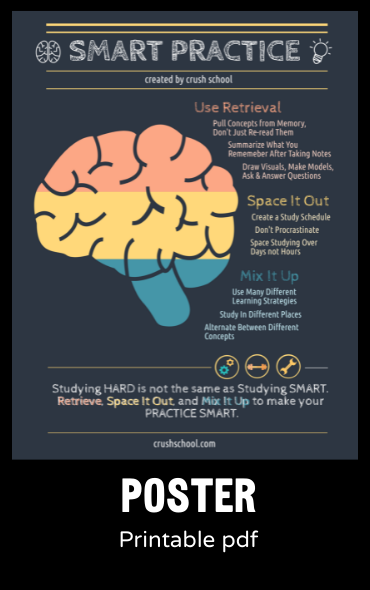
 
Smart Practice Digital Poster
Sale Price: $2.00 Original Price: $3.00

Retrieval Practice, Spaced Practice, and Mixed Practice (Interleaving).

Studying Hard is not the same as Studying Smart. This High Quality printable, digital (PNG) poster is a constant classroom reminder of best practices for teachers and learning the smart way for students.

 
Mistakes Are... Poster
$3.00

In this classroom Mistakes are Expected, Respected, Inspected, Corrected!

Learned helplessness is a result of years of conditioning that mistakes are bad for learning. Nothing is further from the truth - some of the most powerful life lessons come from making mistakes, reflecting on them, and growing as a result.

This is a PNG Poster you can print and display in your classroom to encourage a culture of risk-taking and learning from mistakes.
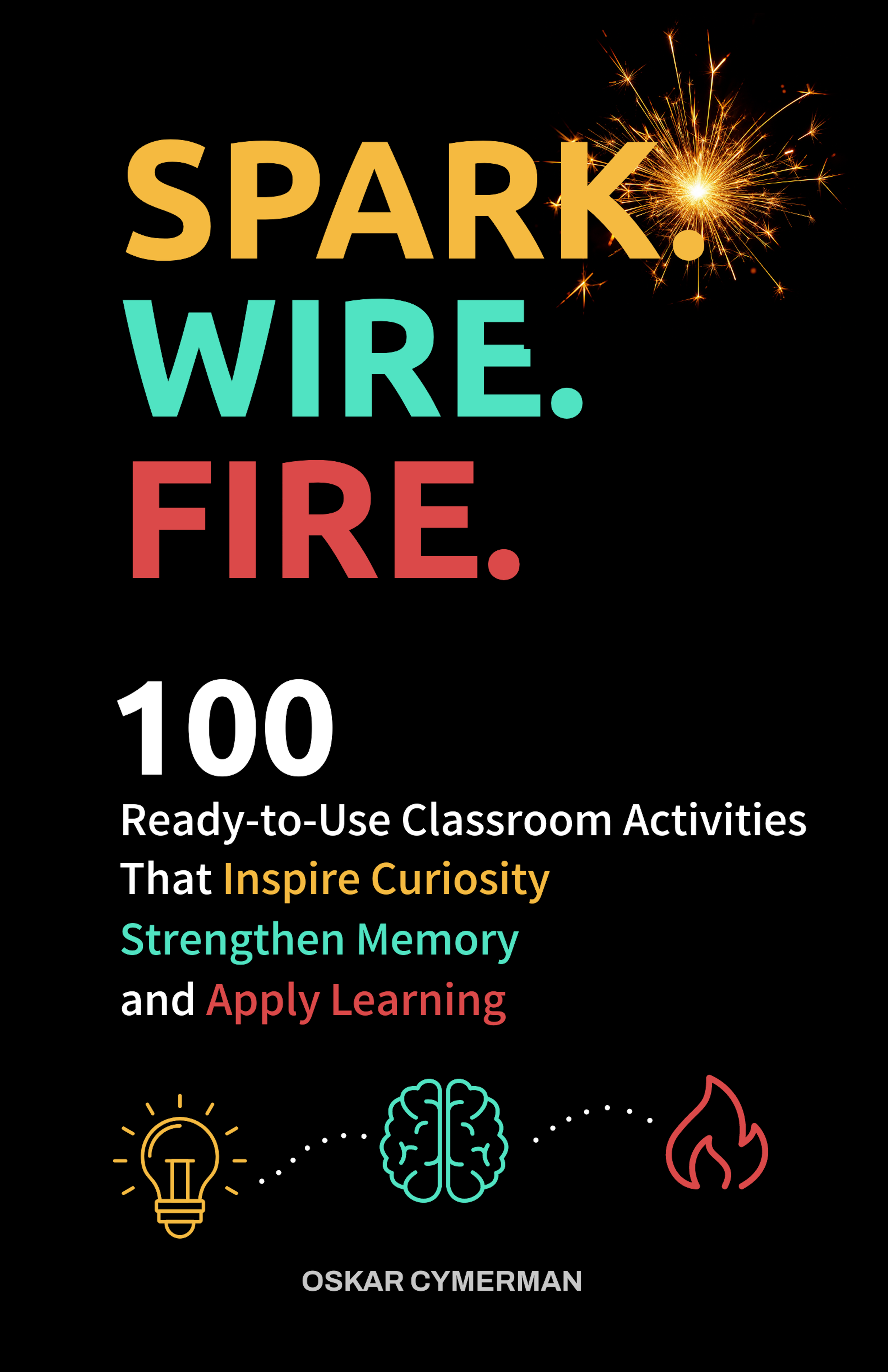
 
 
Book cover for Spark. Wire. Fire.: 100 Ready-to-Use Classroom Activities That Inspire Curiosity, Strengthen Memory, and Apply Learning, a teacher resource focused on classroom engagement, memory, and active learning strategies.

NEW BOOK

100+ practical, brain-based activities teachers can use right away with or without technology.
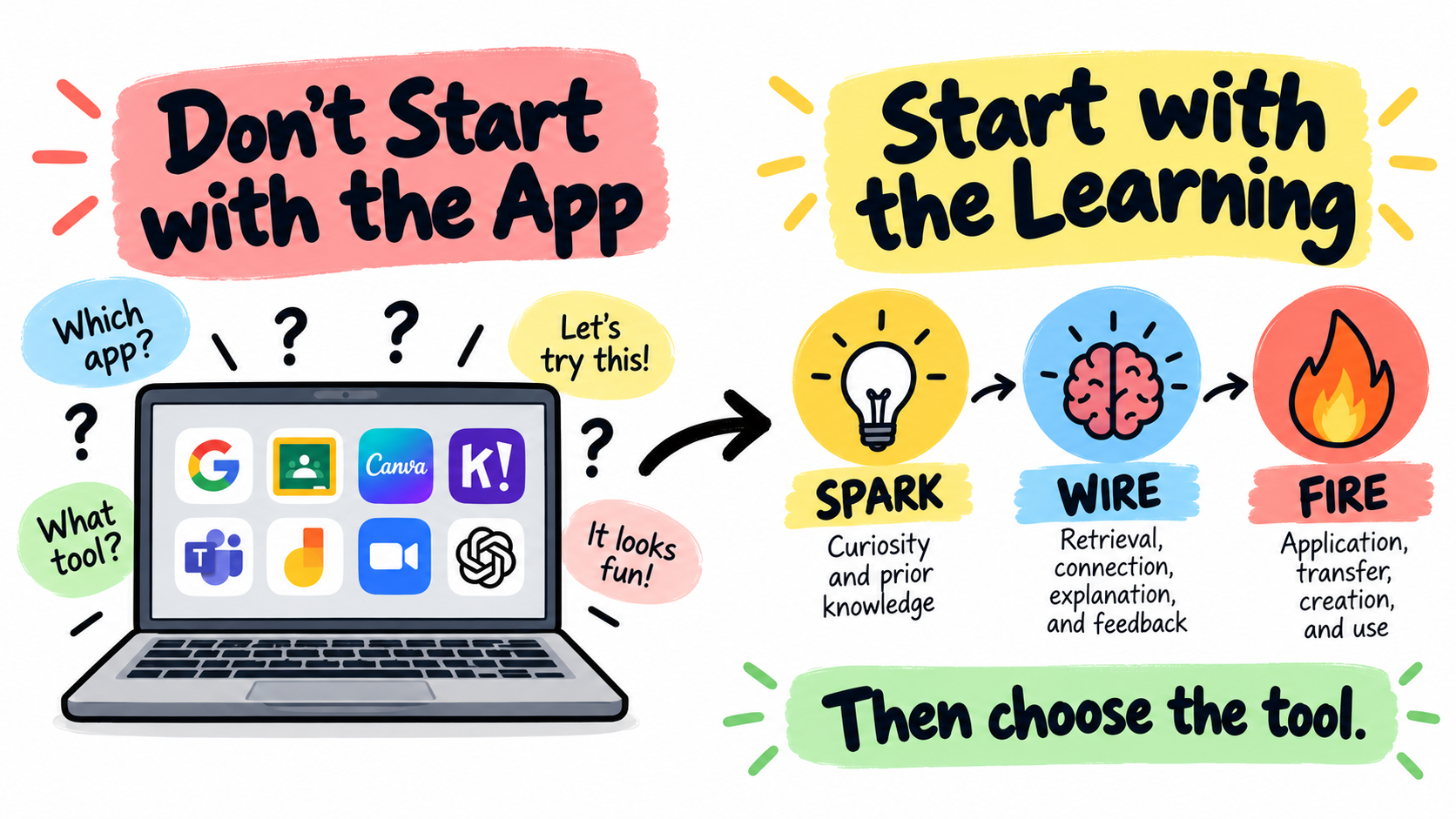
Don’t Start With the App: Start With the Learning

Colorful educational infographic showing “Don’t Start with the App” on one side with a laptop full of app icons, and “Start with the Learning” on the other side with the Spark-Wire-Fire sequence: Spark, Wire, Fire, then choose the tool.

Start with the learning first: spark curiosity, wire learning into memory, fire learning into application, and then choose the tool.

My 7th grader is working on his Language Arts homework at the dinner table as I’m writing my presentation for a workshop I’ll be doing in a couple weeks.

“How’s LA?,” I ask during a brain break.

“Boring,” his standard reply to almost anything school-related.

“Do you feel like you’re learning anything?,” I probe.

“Not really. We just fill out Google Docs on the readings from a book.”

“What book did you guys read?,” I ask because I know he likes reading.

“Not sure. It was a couple of paragraphs on our Chromebooks.”

“Oh. So what are you doing now?”

“We have to answer questions about it on a Google Doc,” he replies; eagerness zero, apathy two hundred.

Later, I catch him watching YouTube shorts in the other tab.

Teachers, Please Don’t Start With The App

Technology can make a lesson look impressive.

Students are clicking, dragging, typing, matching, submitting, designing, posting, reacting, watching, recording, and moving through screens like something very important is happening.

The room looks active. The devices are open.

The platform is working. There may even be a progress bar, which always makes things feel official.

But activity is not the same as learning.

A student can click through a digital lesson and remember almost nothing. She can complete an online escape room and still not understand the concept. She can make a gorgeous slide deck with copied information, weak thinking, and six fonts that should probably be reported to authorities as a crime against humanity’s sanity.

The problem is not technology.

The problem is starting with the app instead of starting with the learning.

Too often, we begin with the tool. We say, “Let’s use Canva,” or “Let’s make a Google Slides presentation,” or “Let’s try this new, cool, interactive platform.”

Sometimes that works. But at those times when the app becomes the lesson and the tool starts making the instructional decisions, the learning gets the shaft.

So instead of wondering: “What app should we use?,” let’s ask “What do students need to do to bring out the learning?”

That is where the Spark-Wire-Fire Framework helps.

Spark-Wire-Fire gives teachers a simple way to design learning before choosing the tool. It asks us to think about what students’ brains need to do before, during, and after instruction.

  1. Spark curiosity, attention, and prior knowledge.

  2. Wire learning into memory through retrieval, connection, explanation, feedback, and correction.

  3. Fire learning into application, transfer, creation, and use.

Technology can support all three.

But only if we plan the learning first.

The Tool Is Not the Strategy

A common mistake with classroom technology is confusing the tool with the strategy.

Google Slides is not a strategy. Canva is not a strategy. Kahoot is not a strategy. Nor is Gimkit, Padlet, or Snorkl.

Even a simulation or a digital breakout are not automatically strategies.

They are tools.

That does not make them bad. A hammer is useful. But if your entire lesson plan is “hammer,” we need to talk.

The strategy is what students are actually doing with their minds. Are they predicting, retrieving, explaining, comparing, sorting, revising, applying, defending, creating, connecting?

A digital task can look engaging while involving very little thinking. Students might search for answers, copy from notes, decorate slides, guess until the screen turns pale grey, or move information from one place to another without really processing it.

This is not a tech problem. It’s a design flaw.

In all fairness, the same weak task can happen on paper as well. Technology just makes it look a little shinier.

Start With Spark: What Will Make Students Want to Think?

A Spark activity prepares students to learn. It grabs attention, activates prior knowledge, reveals a misconception, creates curiosity, or gives students a reason to care about what comes next.

Technology is great for creating Spark activities.

You can show a strange image, pause a short video before the outcome, reveal a graph one piece at a time, run a quick poll, use a simulation to create a prediction, or show a real-world data point that makes students wonder what is going on.

But the key is that students must do something mentally active with it.

A video clip by itself is not a Spark. It becomes a Spark when students predict what will happen, explain what they noticed, identify a pattern, ask a question, or connect the clip to prior knowledge.

A poll by itself is not a Spark. It becomes a Spark when the results reveal disagreement, expose a misconception, or create a reason for students to want the lesson.

An image by itself is not a Spark. It becomes a Spark when students notice clues, make a prediction, and revise their thinking.

The technology provides the stimulus. The thinking makes it learning.

Instead of starting with, “I found a cool video,” start with, “What question will this video create in students’ minds?”

Instead of starting with, “Let’s use a poll,” start with, “What misconception do I want to uncover?”

Instead of starting with, “Let’s do an image reveal,” start with, “What prior knowledge do I want students to activate?”

That is how technology becomes useful. It stops being a decorative enhancement and starts becoming a learning tool.

Wire: What Will Strengthen the Learning?

A Wire activity helps students strengthen learning after they have been introduced to an idea. This is where retrieval practice, explanation, dual coding, elaboration, comparison, feedback, and correction matter.

This is also where technology can either help or quietly ruin things.

Technology often makes information easier to access. That can be useful, but it can also reduce the amount of retrieval students have to do. If students complete a task by searching, copying, clicking answers, or dragging obvious matches into boxes, they often finish the activity quickly without strengthening memory.

Efficiency over processing is exactly the wrong way to go in learning.

True learning requires effort. The brain does not accept shortcuts. If an edtech company claims their product makes learning better, it’s most likely a sales pitch, not a scientific fact.

Speaking of effort… I am not talking impossible effort or “let’s make this miserable because rigor” effort. I mean meaningful cognitive effort.

Students need to pull information from memory, explain ideas in their own words, compare similar concepts, correct mistakes, and organize what they know if memory encoding and later consolidation is to take place.

Technology can support this if we design the learning tasks around how the brain learns.

Instead of: “Watch this video and answer the questions.”

Try: “Watch the video once. Close it. Write everything you remember. Then rewatch and add what you missed.”

Now the technology supports retrieval.

Instead of: “Drag each vocabulary word to the correct definition.”

Try: “Sort the words into groups, name each category, and explain why each word belongs.”

Now the technology supports connection and explanation.

Instead of: “Complete the digital worksheet using your notes.”

Try: “Answer the first section without notes. Mark your confidence. Then use your notes to fix your answer.”

Now the technology supports retrieval, feedback, and correction.

The app did not make the lesson better. You did, and the the thinking you asked for did.

Fire: How Will Students Use the Learning?

A Fire activity asks students to apply learning. This is where students use ideas in a new context, solve a problem, create a product, make an argument, design a model, defend a decision, or explain a real-world connection.

Technology can be incredibly powerful here. Students can create videos, podcasts, infographics, models, maps, data displays, digital exhibits, presentations, animations, or interactive explanations.

They can collaborate and revise. They can share work with an audience. They can use tools that make their thinking more visible.

But Fire is not the same as “make something digital.”

A student can make a beautiful infographic and still not understand the concept. A student can spend 40 minutes choosing icons, colors, fonts, and transitions while the actual learning quietly leaves the room and dies.

A Fire activity requires students to use the learning, not just decorate.

Instead of: “Make a slide deck about renewable energy.”

Try: “Recommend which energy source your city should invest in. Use evidence about cost, reliability, carbon emissions, and environmental impact.”

Instead of: “Make a video about the water cycle.”

Try: “Create a short explainer showing how a disruption to one part of the water cycle affects at least two Earth systems.”

Instead of: “Create a poster about a historical event.”

Try: “Create a digital exhibit that argues which cause had the greatest impact and supports this claim with evidence.”

The product matters less than the thinking behind it.

If the technology helps students communicate, model, argue, analyze, or apply more effectively, use it.

If it mainly helps them make weak thinking look pretty—pause, rethink, and revise.

Pretty is just pretty. True learning is beauty.

A Better Way to Choose Technology

The better approach is simple. Do not start with the app, but with the thinking.

Ask yourself what students need to do cognitively. Do they need to retrieve information? Compare ideas? Explain a process? Analyze data? Correct a misconception? Apply a concept? Defend a claim? Create a model? Revise their thinking?

Once that is clear, choose the tool.

If students need to retrieve, a quick digital quiz, shared document, or no-notes response form might work.

If students need to compare, a digital sorting board, shared chart, or collaborative slide might work.

If students need to model, a drawing tool, simulation, or diagram platform might work.

If students need to apply, a podcast, infographic, video, argument slide, or digital exhibit might work.

The tool should serve the thinking, not the other way around.

The Spark-Wire-Fire Tech Filter

Before using a digital tool, run it through the Spark-Wire-Fire filter.

Spark: “Will this tool help create curiosity, activate prior knowledge, reveal a misconception, or focus attention?”

Wire: “Will this tool help students retrieve, explain, connect, compare, correct, organize, or get feedback?”

Fire: “Will this tool help students apply, transfer, create, argue, model, solve, or use the learning?”

If the answer is yes, the tool may be worth using.

If the answer is no, the tool may still look good, but it may not be doing much for learning.

That does not mean every activity must do all three. A five-minute bell ringer may only Spark. A mid-lesson activity may mostly Wire. A project may mostly Fire. The point is to know what role the activity is playing.

When we know the learning purpose, technology becomes easier to use well.

Examples of Better Tech Use

A digital Spark might be a mystery image reveal where students predict what they are seeing and explain the clues. The app or slide tool simply helps hide and reveal information. The learning comes from prediction, evidence, and revision.

A digital Wire activity might be a shared concept map built from memory. Students first create the map without notes, then compare with a partner, then revise using class materials. The tool helps organize thinking, but retrieval and correction do the heavy lifting.

A digital Fire activity might be a student-created recommendation, model, or explanation for a real-world problem. Students might use Canva, Google Slides, video, or another tool, but the task requires evidence, application, and reasoning. The technology helps students communicate the learning, but does not replace it.

This is the difference between technology as decoration or entertainment and technology as learning design—the difference between “Does it look engaging?” and “What thinking does this require?”

The Green Checkmark Is Not Enough

One of the easiest traps with digital learning is the green checkmark.

Students submit an answer. The screen tells them they are correct. Everyone feels good for three seconds.

But a green checkmark does not always mean learning happened.

It may mean the student guessed correctly. It may mean the student recognized the answer. It may mean the student copied from notes or used AI.

Or, maybe the platform gave enough clues that thinking became optional.

Feedback should help students understand what to keep, change, fix, or try next. That means we may need to add the thinking ourselves. In fact, most of the time you must because app defaults suck.

After a digital quiz, ask students to choose one missed question and explain the mistake. After a matching activity, ask students to write one relationship in their own words. After a simulation, ask students to explain what changed and why. After a slide project, ask students to defend one design choice connected to content, not just aesthetics.

Technology can give fast feedback. Teachers have to make it count.

Final Thoughts

Technology can improve learning. It can bring in powerful visuals, simulations, collaboration, creativity, feedback, accessibility, real-world data, and opportunities students would not have otherwise.

But technology does not improve learning simply by being there.

An app is not a lesson plan, a platform is not pedagogy, and a digital activity is not automatically deeper than a paper one.

The question is not whether students are using devices, but whether students are thinking in ways that help learning stick.

That is why I keep coming back to Spark-Wire-Fire. Spark curiosity and attention. Wire learning into memory. Fire learning into application.

Start there. Then choose the tool.

Because the best technology in the classroom is not the tool that looks the coolest, contains the best features, or has the cleanest dashboard.

It is the tool that makes students think.


If you want an edtech tool designed to help students think the Master Teacher Toolkit app might be worth checking out. The app contains bell ringers, exit tickets, mid-lesson checks, and other Spark-Wire-Fire strategies that help bring out deeper processing of information, which is what learning is all about.

And if you just want the strategies check out my book Spark. Wire. Fire. on Amazon. It will help you design lessons that help students think, retrieve, connect, apply, and a whole lot more with or without the tech.


BOOKS & TOOLS

 
3 Memory Palace Lessons
$3.00

Flashcards are okay but there's a better way. The Memory (or Mind) Palace Method is a powerful learning and memorization technique that when mastered allows a student to remember 10, 20, or even 30 vocabulary words or concepts (definitions included) with ease.

And, they actually remember what they learned using memory palaces! This series of lessons (which can be used as classroom handouts) walks students through creating their first memory palace, filling it with information they need to learn, and using it to train their memories. It also contains short readings, a video lesson, memory palace examples, and practice drills.

Fair Use

Feel free to use with your students. Please do not share it with other parties or use for profit. All rights by crushschool.com.

 
EQUITY Poster
$1.50

Equity-Promoting Classroom Poster. What does EQUITY in the classroom look like?

  • Everyone has a different start and finish line

  • Quality is more important that quantity

  • Understanding that diversity makes us stronger

  • Inclusion despite beliefs, appearances, and circumstances

  • Thoughtfulness lowers barriers and reduces biases

  • Yesterday's mistakes are today's learning agenda

You can teach your students about equity and make it a daily classroom practice using this inspirational poster, which also includes images that accompany the equity description. You can discuss each letter characteristic with your students as a way of introducing your inclusive classroom and display it prominently as a reminder that diversity makes the classroom community stronger.

 
Mistakes Are... Poster
$3.00

In this classroom Mistakes are Expected, Respected, Inspected, Corrected!

Learned helplessness is a result of years of conditioning that mistakes are bad for learning. Nothing is further from the truth - some of the most powerful life lessons come from making mistakes, reflecting on them, and growing as a result.

This is a PNG Poster you can print and display in your classroom to encourage a culture of risk-taking and learning from mistakes.

 
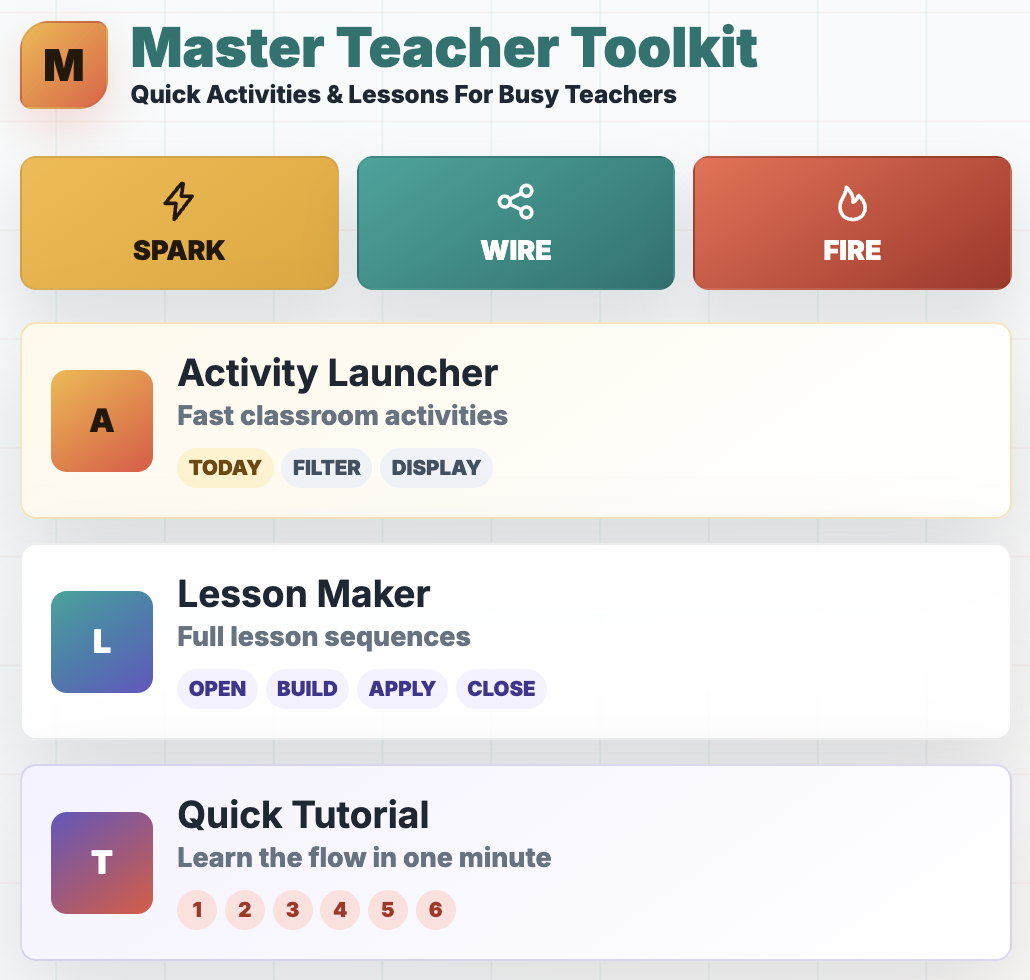
Master Teacher Toolkit home screen featuring the Activity Launcher for quick classroom activities and Lesson Maker for building structured 45-, 60-, or 90-minute lesson sequences

Teaching App

Launch engaging, deeper learning activities and lessons in seconds. Then, launch and display them to students instantly.

 
Book cover for Spark. Wire. Fire.: 100 Ready-to-Use Classroom Activities That Inspire Curiosity, Strengthen Memory, and Apply Learning, a teacher resource focused on classroom engagement, memory, and active learning strategies.

NEW BOOK

100+ practical activities teachers can use right away with little or no prep.

One Word Challenge: A Simple Bell Ringer That Builds Better Connections

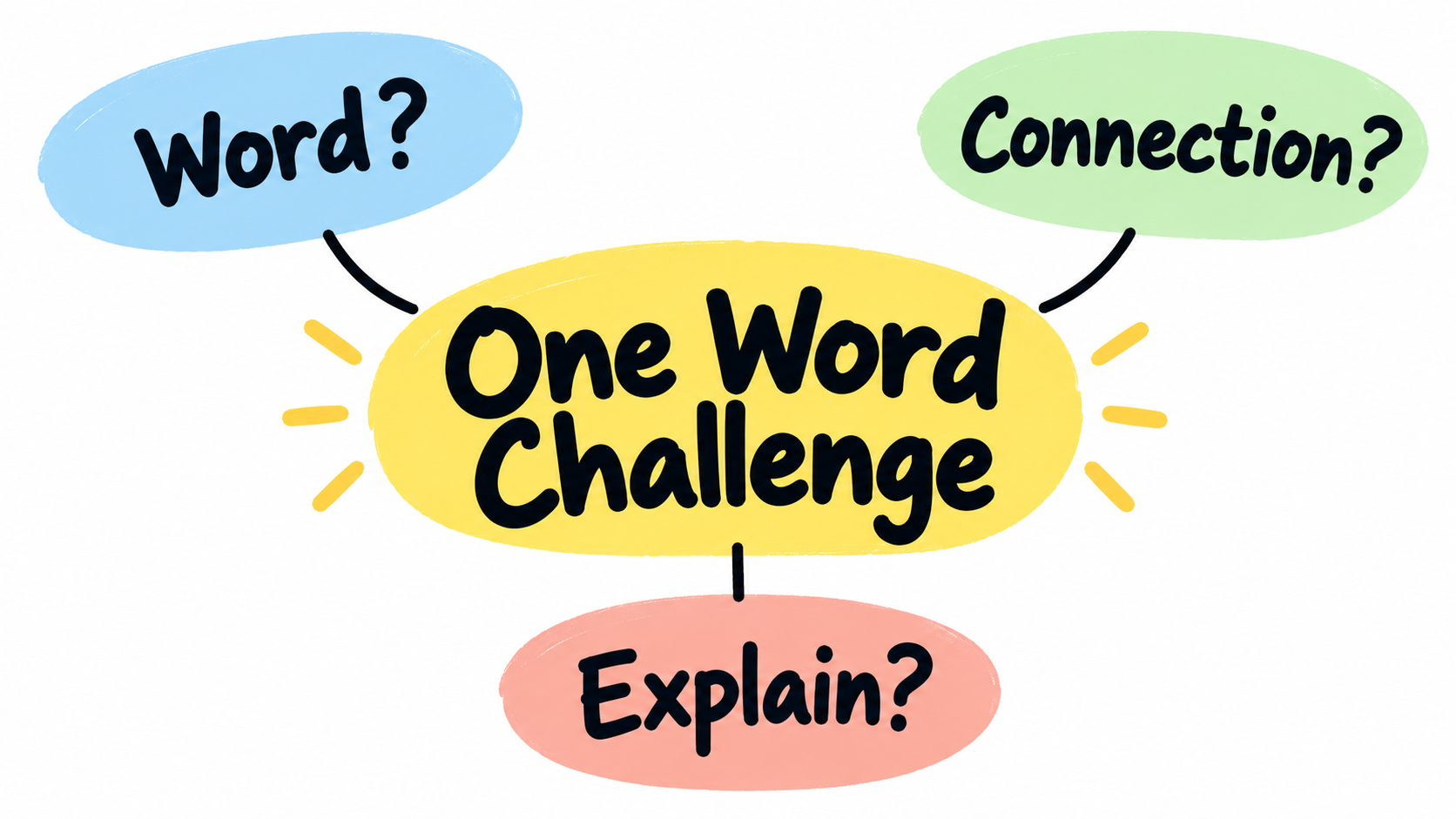
Simple educational graphic titled “One Word Challenge,” showing three connected bubbles labeled “Word?”, “Connection?”, and “Explain?” to represent a quick bell ringer that builds student thinking.

One Word Challenge helps students start class by choosing a connected word and explaining how the ideas relate.

Some bell ringers ask students to answer a question.

Some ask them to recall a definition.

Others ask them to write three sentences about something they barely remember from yesterday, which usually results in a couple sentence fragments and a heroic attempt to stretch IDK into academic language.

Some such bell ringers are necessary. The problem is that too many of them are either too passive, too disconnected, or too complicated for the first five minutes of class.

Students need something quick enough to start immediately, but meaningful enough to get their brains moving.

One Word Challenge works really well for this.

One Word Challenge is a simple Spark strategy that asks students to connect one word to another and explain the relationship. That’s it. No elaborate direction steps.

One word, one connection, and one explanation.

So What Is One Word Challenge?

One Word Challenge starts with a single word connected to the day’s lesson, a previous lesson, or a larger unit. Students respond by writing one related word and then explaining how the two words connect.

For example, if the word is convection, a student might write mantle because convection currents in the mantle help move tectonic plates. Another student might write density because warmer, less dense material rises while cooler, denser material sinks. A third student might write wind because convection also affects air movement in the atmosphere.

The activity is simple, but the thinking is not. Students have to retrieve something they know, choose a connection, and explain why that connection makes sense. That is much more useful than just copying a definition from the board while their brain quietly waits for class to actually begin.

The explanation is the most important part.

Without it, One Word Challenge becomes a word association game. With it, the activity becomes retrieval, reasoning, elaboration, and connection-making.

That is a lot of learning for one word.

How to Use One Word Challenge

Start by choosing one important word. It can be a vocabulary term, concept, person, event, process, skill, theme, equation, symbol, or category. Write that word on the board, project it on a slide, or say it out loud.

Then give students this simple prompt: “Write one word connected to today’s word. Then explain the connection in one sentence.”

That is the basic version, and it works beautifully because students can start right away. They do not need a handout or to ask, “Wait, what are we doing?” twelve times, although someone still might because tradition matters.

After students write, have them share with a partner. Then ask for a few examples from the class. As students share, you can quickly see what they remember, what connections they are making, and where misconceptions might be hiding.

For an even stronger version, ask students to improve their first response. After hearing a partner’s idea, they can add a better explanation, choose a stronger connection, or write a second connected word. This small revision step turns the activity from a quick warm-up into a better thinking routine.

Why It Works

One Word Challenge activates prior knowledge. Before students can learn something new, they need something to connect it to. The brain does not store information like a filing cabinet where every idea politely waits in its own folder. Learning is more like a network. New ideas stick better when they attach to ideas student brains already store.

The activity also creates retrieval practice. Students have to pull a related word from memory instead of simply recognizing one from a list. That small act of remembering matters as retrieval strengthens learning. It also helps students realize what they know and what they only sort of recognize.

One Word Challenge promotes elaboration. When students explain the connection between two ideas, they are adding meaning. They are not just saying, “These two things go together.” They are explaining how and why they go together. That extra thinking helps deepen understanding.

It also gives teachers fast feedback. If the word is erosion and students write weathering with a strong explanation, great. If they write volcano and the explanation is “because Earth science,” you have learned something useful.

Maybe the concept map in their head looks like a junk drawer. Maybe the student has a loose connection. Or loose screw. Either way, now you know.

Classroom Examples

In Earth and Space Science, you might put the word plate tectonics on the board. A student could write earthquakes because earthquakes often happen along plate boundaries where plates move, collide, or slide past each other. Another student could write mountains because some mountains form when plates collide and push rock upward.

In Chemistry, you might use the word atom. Students could connect it to proton, element, bond, electron, or nucleus. Each connection reveals a different piece of understanding. A student who writes element and explains that elements are defined by the number of protons in their atoms is showing a much stronger connection than a student who writes small because atoms are small.

In English, you might use the word conflict. Students could connect it to character because conflict reveals what a character wants, fears, or values. They could connect it to theme because the way a conflict is resolved often helps reveal the message of a story.

In Social Studies, you might use the word revolution. Students could connect it to power, taxation, protest, government, or inequality. The class discussion becomes more interesting when students see that different words can connect to the same concept in different ways.

In Math, you might use the word slope. Students could connect it to rate, line, change, graph, or equation. The explanations tell you whether students understand slope as a memorized formula or as a relationship between quantities.

The word can be simple. The thinking should be deep.

Easy Variations

Once students understand the basic routine, you can change the challenge slightly to fit your evil plans. This keeps the activity fresh without turning it into a completely new set of directions every time.

You can ask students to choose a word from last week’s learning instead of yesterday’s. This adds spacing, which helps students revisit older material before it disappears into the academic fog.

You can ask for a word from another unit. This pushes students to make bigger connections across the course. For example, a Chemistry student might connect energy to bonding, reaction rate, phase change, or thermochemistry.

You can ask students to choose a word that shows cause and effect. For example, if the word is deforestation, a student might choose erosion because removing trees can increase soil loss.

My fave is asking students to name the most surprising connection they can conjure and defend. This adds a little creativity, evidence still required. The word cannot be random. It has to make some kind of sense.

You can also turn it into a partner challenge. Student A writes a connected word. Student B has to explain the connection. Then they switch. This works well because it helps students practice listening and flexible thinking.

What to Watch Out For

The most common problem with One Word Challenge is shallow answers. Students may write a connected word that is technically related but explain it in a vague way. You will see sentences like, “They are connected because they both have to do with science,” which is true in the least helpful and most teacher-annoying way possible.

That is why the explanation matters. Push students to be specific and ban basic answers. A good response should explain the relationship clearly enough that someone else can understand the connection without guessing or being amused by the annoyance it causes.

Another issue is that students may choose the easiest possible word every time. That is not always bad, especially at the beginning, but over time you can raise the challenge. Ask for a less obvious connection. Ask them to use a word from a previous unit. Ask them to explain a connection no one else at their table used.

You can also model a weak response and a strong response. For example:

Weak response: ”Convection connects to heat because they are related.”

Stronger response: ”Convection connects to heat because warm material becomes less dense and rises, while cooler material sinks, creating a cycle of movement.”

Students usually do better when they see what better looks like, so you better show them. This will make you a better teacher. Just annoyin’.

Why It Makes a Good Spark Bell Ringer

A Spark bell ringer should prepare students to learn. It should wake up relevant ideas, create curiosity, or help students start making meaning before the main lesson begins. One Word Challenge does this because it is fast, flexible, and cognitively active.

It also works because it lowers the barrier to entry. Students do not have to write a paragraph. They do not have to solve a long problem. They do not have to complete a worksheet before their brain has fully accepted that class is really happening. They just need to make one connection and explain it.

That simplicity is the strength of the activity. It is easy enough to use on a regular basis, but meaningful enough to support deeper learning.

And honestly, that is what teachers need more of. Not more complicated routines. Not more beautiful activities that require 42 minutes of prep and a level of organization no mortal can sustain in October.

Just simple strategies that students can do quickly and teachers will actually use.

Final Thoughts

One Word Challenge is not flashy. It is not a gamified review. It does not require music, animations, or a dramatic reveal. It is just one word, one connected word, and one explanation.

But it is a small routine that does a lot. It helps students retrieve information, activate prior knowledge, build connections, explain their thinking, and prepare for the lesson ahead.

That is what a good bell ringer should do.

It shouldn’t just fill time. It should jumpstart brains.


For 100+ ready-to-use activities that help students think, retrieve, connect, and apply, check out my book Spark. Wire. Fire. on Amazon.

If you want faster access to bell ringers, exit tickets, mid-lesson checks, and other active content review strategies my Master Teacher Toolkit app helps you find classroom-ready ideas instantly.


BOOKS & TOOLS

 
3 Memory Palace Lessons
$3.00

Flashcards are okay but there's a better way. The Memory (or Mind) Palace Method is a powerful learning and memorization technique that when mastered allows a student to remember 10, 20, or even 30 vocabulary words or concepts (definitions included) with ease.

And, they actually remember what they learned using memory palaces! This series of lessons (which can be used as classroom handouts) walks students through creating their first memory palace, filling it with information they need to learn, and using it to train their memories. It also contains short readings, a video lesson, memory palace examples, and practice drills.

Fair Use

Feel free to use with your students. Please do not share it with other parties or use for profit. All rights by crushschool.com.

 
EQUITY Poster
$1.50

Equity-Promoting Classroom Poster. What does EQUITY in the classroom look like?

  • Everyone has a different start and finish line

  • Quality is more important that quantity

  • Understanding that diversity makes us stronger

  • Inclusion despite beliefs, appearances, and circumstances

  • Thoughtfulness lowers barriers and reduces biases

  • Yesterday's mistakes are today's learning agenda

You can teach your students about equity and make it a daily classroom practice using this inspirational poster, which also includes images that accompany the equity description. You can discuss each letter characteristic with your students as a way of introducing your inclusive classroom and display it prominently as a reminder that diversity makes the classroom community stronger.

 
Mistakes Are... Poster
$3.00

In this classroom Mistakes are Expected, Respected, Inspected, Corrected!

Learned helplessness is a result of years of conditioning that mistakes are bad for learning. Nothing is further from the truth - some of the most powerful life lessons come from making mistakes, reflecting on them, and growing as a result.

This is a PNG Poster you can print and display in your classroom to encourage a culture of risk-taking and learning from mistakes.

 
Master Teacher Toolkit home screen featuring the Activity Launcher for quick classroom activities and Lesson Maker for building structured 45-, 60-, or 90-minute lesson sequences

Teaching App

Launch engaging, deeper learning activities and lessons in seconds. Then, launch and display them to students instantly.

 
Book cover for Spark. Wire. Fire.: 100 Ready-to-Use Classroom Activities That Inspire Curiosity, Strengthen Memory, and Apply Learning, a teacher resource focused on classroom engagement, memory, and active learning strategies.

NEW BOOK

100+ practical activities teachers can use right away with little or no prep.